65
1
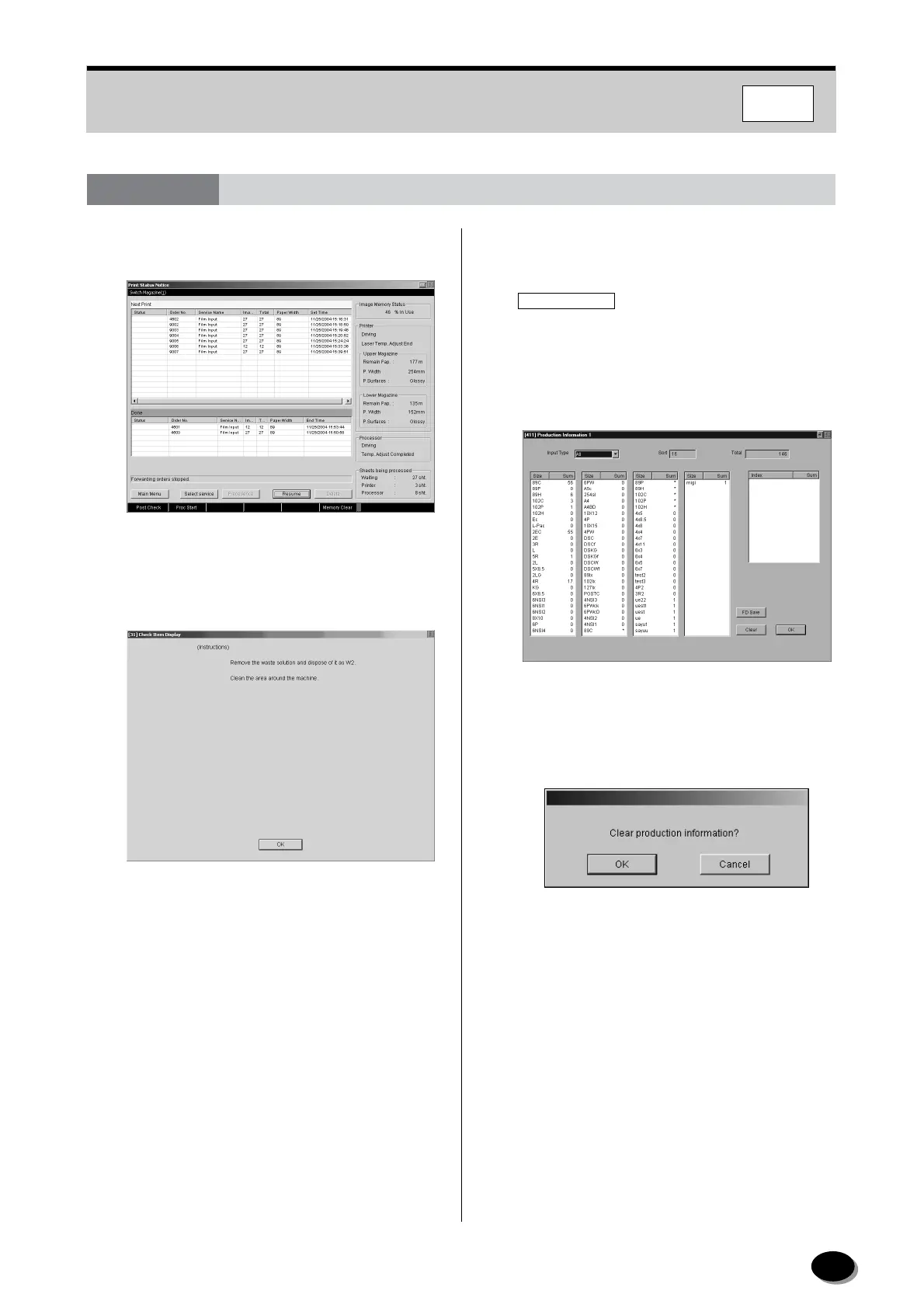
Click the “Post Check” in the bottom left-hand
corner of the screen.
• The “[31] Inspection Item Display” screen
appears.
2
Click the [OK] button.
• The “Production Information 1” screen appears.
3
Record the daily processing volume data. To
clear the data, follow the steps below.
4
To save the data in the FD, follow the steps blew.
(1) Click the [FD Save] button.
(2) Insert the FD into the FD drive, then click the
[OK] button.
• The data is saved in the FD.
(3) Remove the FD from the drive, then click the
[OK] button.
IMPORTANT
Make sure that the FD is removed from the FD
drive. If remains in the drive, the FMPC is not
started up during the next restart.
(1) Click [Clear].
• The “Clear production information?” window
appears.
(2) Click [OK].
• Data is cleared.
6.3 Post-operational Checks and Shut-down in FMPC
FMPC
distributed by www.minilablaser.com



 To Next Page