44
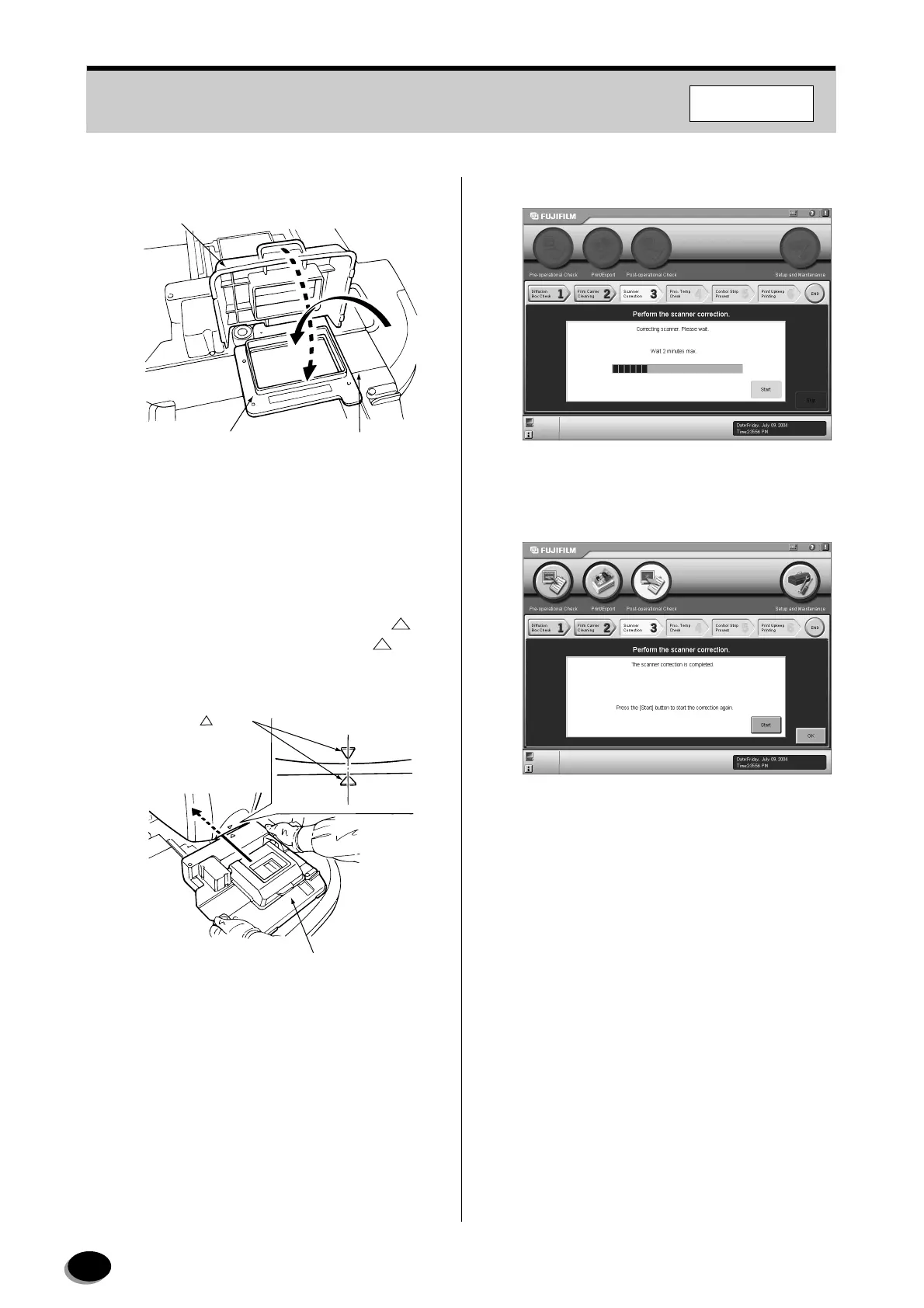
(5) Open the upper cover of the multi-film carrier.
(6) Mount the calibration mask on the multi-film
carrier.
(7) Close the upper cover.
(8) Hold the film carrier as shown, align the “ ”
mark on the multi-film carrier with the “ ” mark
on the scanner section, and then push the
carrier in until it stops.
(9) Click the [Start] button.
• Scanner correction is started.
• After the completion of the correction, the
message “The scanner correction is completed”
appears.
5
Click the [OK] button.
• Control returns to the “Order Information”
screen.
Multi-film Carrier
MFC10AY
Upper Cover
Calibration Mask
Z2074
Marks
Multi-film Carrier MFC10AY
Z2510
F355/375/570
distributed by www.minilablaser.com



 To Next Page