94
How to operate the Sound Adjustment Mode
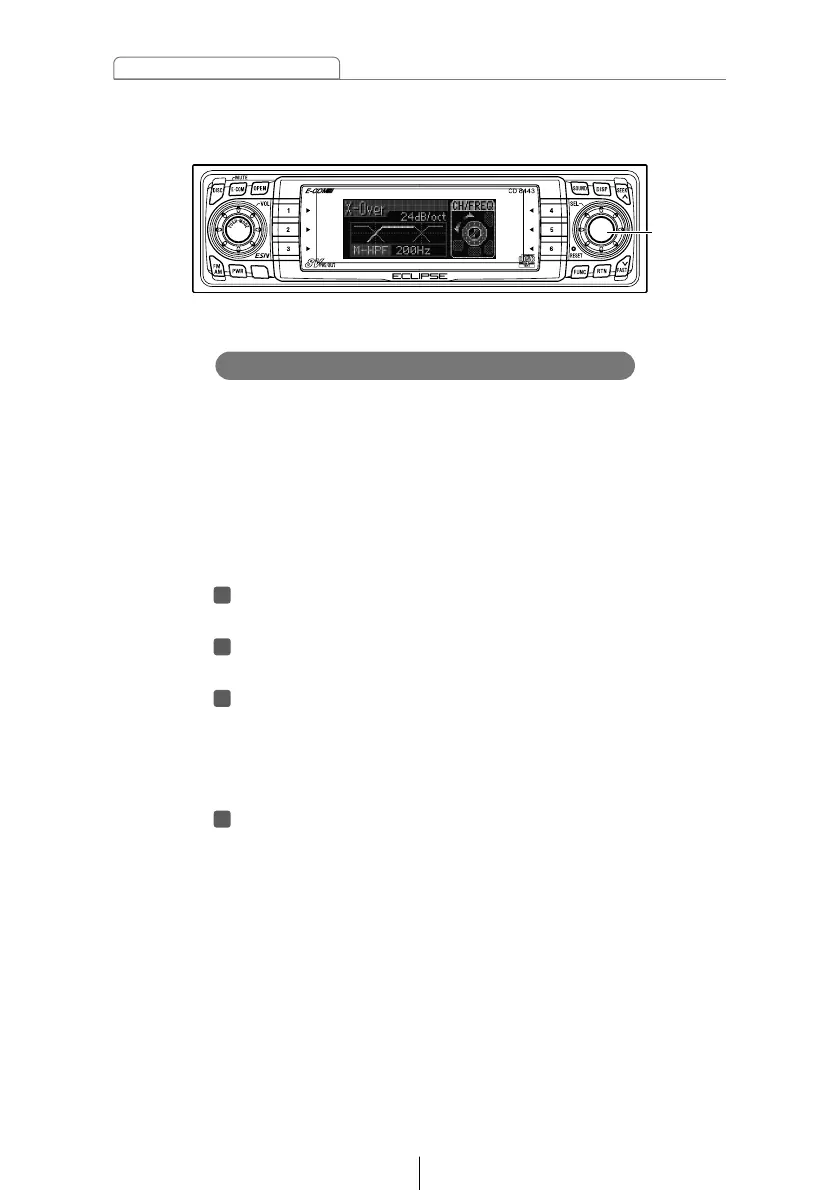
This adjustment is for 3-way speaker system which uses
different speakers for different ranges (treble range: tweeters,
medium range: Mid, bass range: woofers). In this case, the
crossover function applies the HPF to the treble-range
speakers, it applies the HPF and LPF to the medium-range
speakers, and it applies the LPF to the bass-range speakers to
adjust the respective playback ranges so that the sounds from
all speakers merge properly.
Turn the [SEL] button to select X-Over.
The selected item will be highlighted.
Press the [SEL] button.
The mode will change to crossover adjustment mode.
Press the [SEL] button to select the crossover adjustment
channel.
Each time the button is pressed, the selection changes in
the following order.
Hi ➔ M-LPF ➔ M-HPF ➔ Low ➔
Turn the [SEL] button to select the cut-off frequency.
When the button is turned, the frequency changes in the
following order.
Hi / M-LPF:
200Hz ↔ 250Hz ↔ 315Hz ↔ 400Hz ↔ 500Hz ↔ 630Hz ↔
800Hz ↔ 1kHz ↔ 1.25kHz ↔ 1.6kHz ↔ 2kHz ↔ 2.5kHz ↔
3.15kHz ↔ 4kHz ↔ 5kHz ↔ 6.3kHz ↔ 8kHz ↔ 10kHz
M-HPF / Low:
63Hz ↔ 80Hz ↔ 100Hz ↔ 125Hz ↔ 160Hz ↔ 200Hz



 To Next Page