Ports and operating elements
Ports and operating elements
Ports
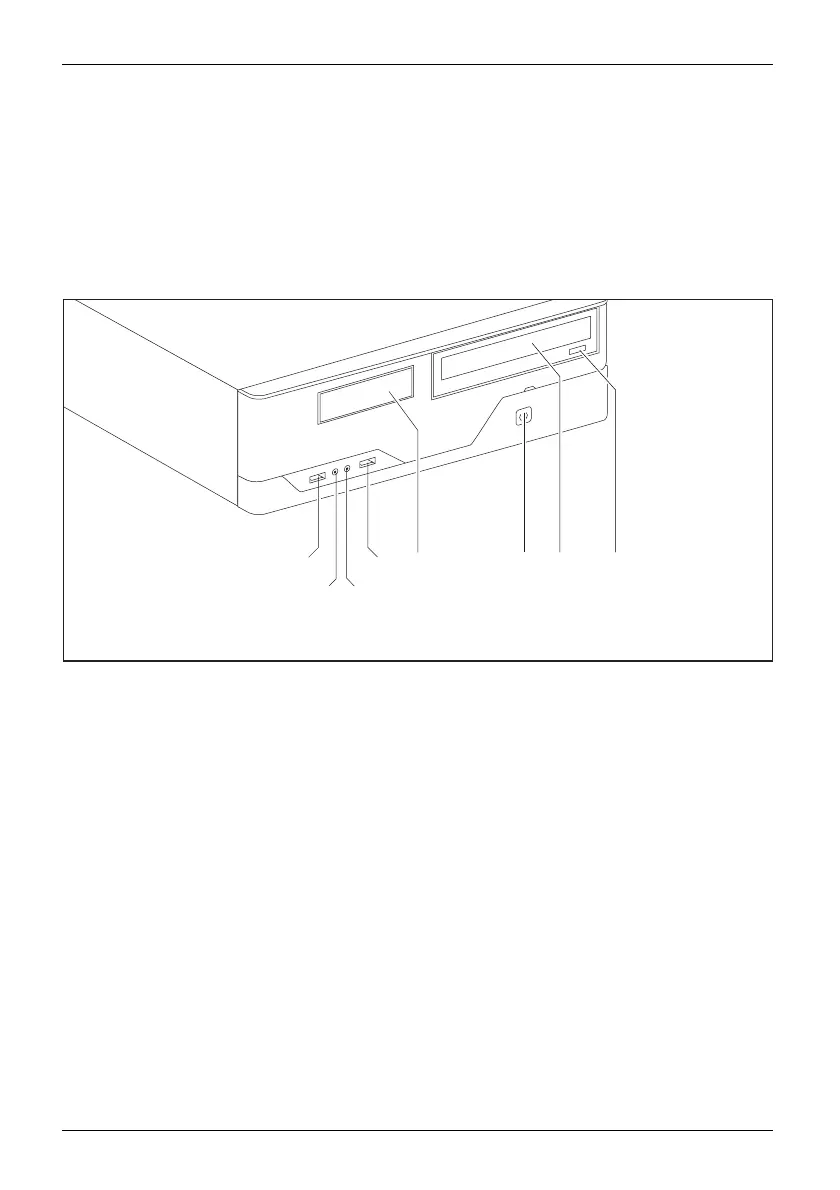
This chapter presents the individual hardware components of your device. T his will provide
you with an o verview o f the ports and operating elements on the device. Please familiarise
yourself with these compon ents before starting to wo rk with your device.
Front
1
56
7
2
3
1
4
1 = USB ports
2 = Headphone port
3 = Microphone port
4=3
1
/
2
inch module bay
5 = ON/OFF switch
6 = Optical drive (optional)
7 = Insert/eject button (CD/DVD)
10 Fujitsu Technology Solutions








 To Next Page