System expansions
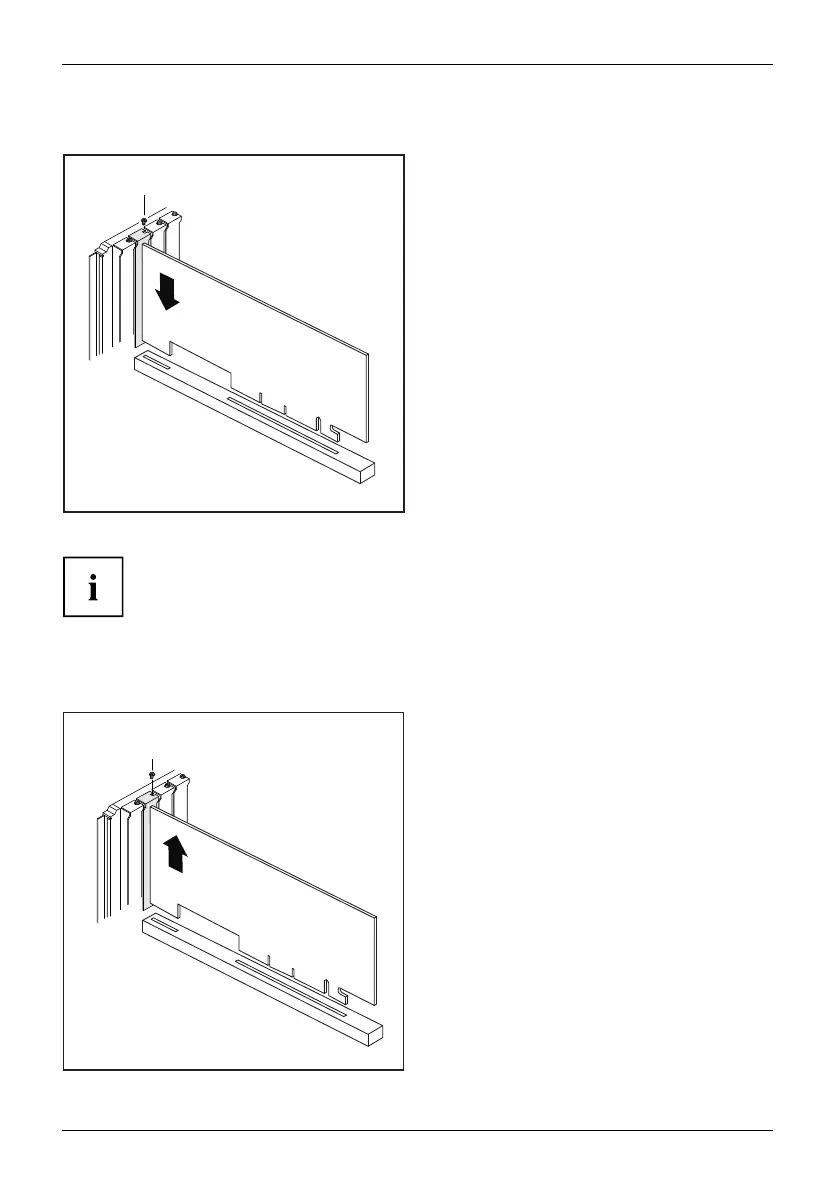
Installing a board
2
1
► Push the board into the slot (1)
until it engages.
► Tighten the screw (2).
► If necessary, connect the cables to the board.
If you have installed or removed a board, please check the relevant P C I
slot settings in the BIOS Setup. If necessary, change the settings. Further
information is provided in the PCI board documenta tion.
Removing boards
► If necessary, disconnect the cables which are connected to the board.
2
1
► Loosen the screw (1).
► Pull the board out of the slot (2).
► Place the board in suitable packaging.
50 Fujitsu Technology Solutions








 To Next Page