System expansions
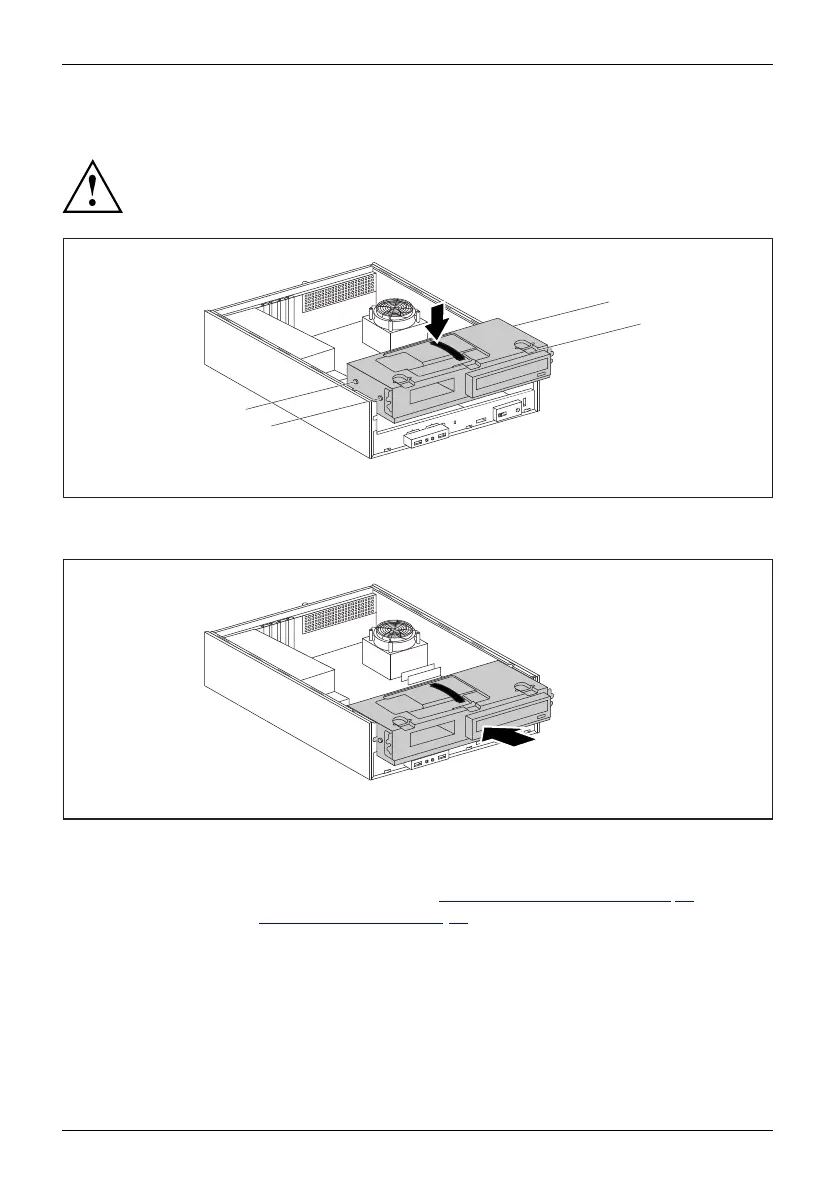
Installing the drive cage
Drivecage
Take care not to trap any cables when installing the drive cage.
1
a
a
a
a
► Insert the drive cage on the plastic handle into t he casing (1). When doing so, ensure that
the guides (a ) are at the height of the corresponding openings on the c asing.
2
► Push the drive cage in to the casing in t he direction of the arrow (2).
► Connect the cables to the drive cage.
► Secure the front panel on the casing again (see "
Secur ing the front panel", Page 35).
► Close the casing (see "
Close the casing", Page 35).
38 Fujitsu Technology Solutions








 To Next Page