System expansio ns
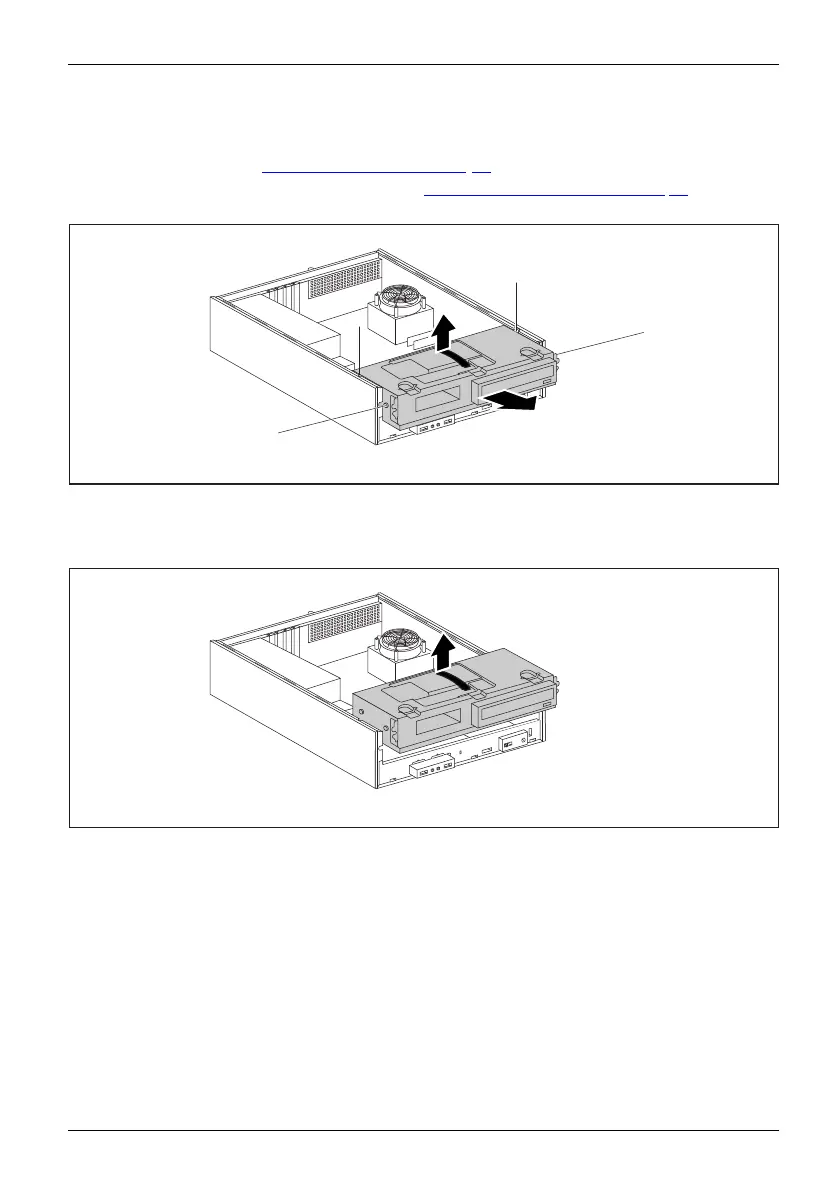
Removing the drive carrier
Removing
► Open the casing (see "Opening the casing", Page 33).
► Remove the front panel from the casing (see "
Removing th e front panel", Pag e 34).
► If drives are installed, disconnect t heir data cable and power su pply cable plugs.
1
2
a
a
a
a
► Slightly lift the drive cage using the plastic handle (1).
► Slide the drive cage in the direction of the arrow (2) until the guides (a ) are the
same height as the corre spo ndin g openings in the casing.
3
► Use the plast ic handle to l ift the drive cage out of the casing (3).
Fujitsu Technology Solutions 37








 To Next Page