System expansio ns
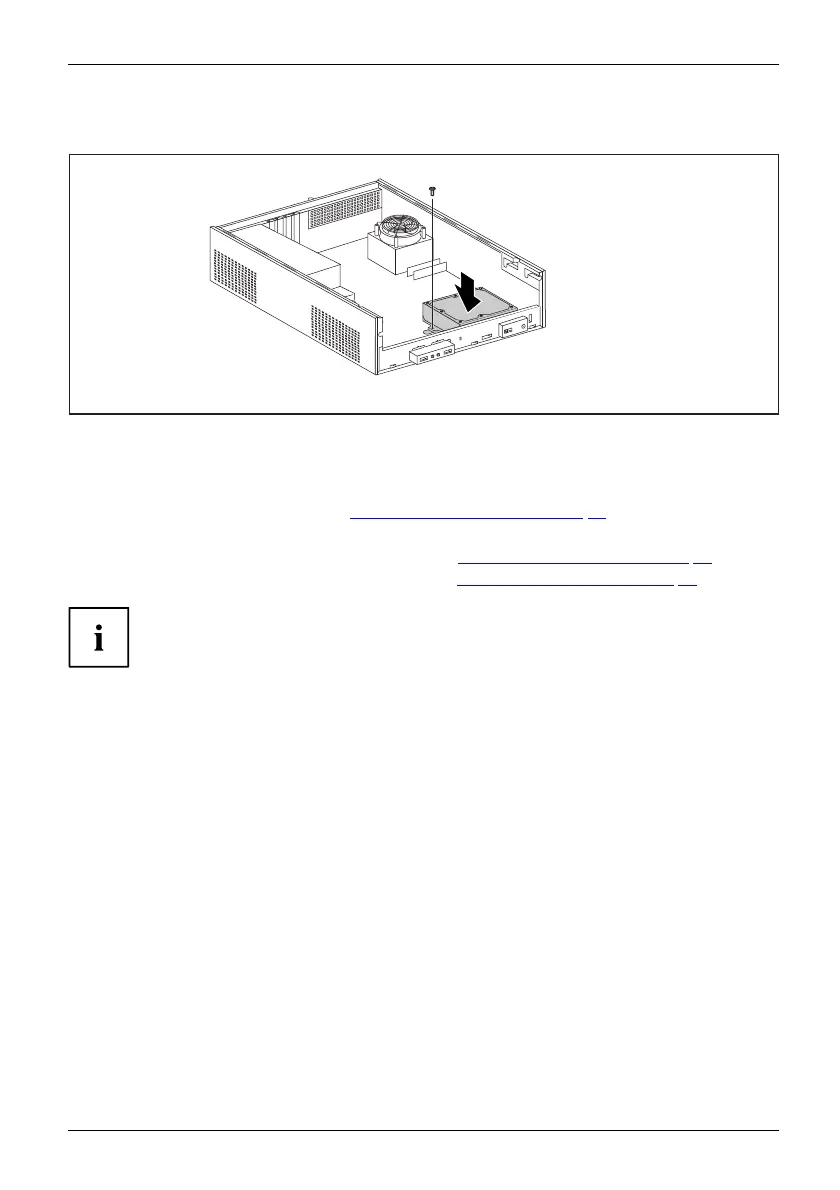
Installing the ha rd disk drive cage
2
1
► Insert the hard disk drive cage into the casing (1).
► Tighten the screw (2).
► Plug in the cables on the hard disk.
► Install the drive cage (see chapter "
Installing the drive ca ge", Page 38).
► Connect the cables to the drive cage.
► Secure the front pane l on the casing (see chapter "
Securing the front p anel", Page 35).
► Install the cover on the casing again (see chapter "
Reattaching the cover", Page 36).
It may be necessary to modify the entry for the drive in the BIOS Setup.
Fujitsu Technology Solutions 47








 To Next Page