Copyright 2011 – FUJITSU ISOTEC LIMITED
FP-1000 Installation Guide-2 1.1.0.0
11 of 57
b) Installation procedure:
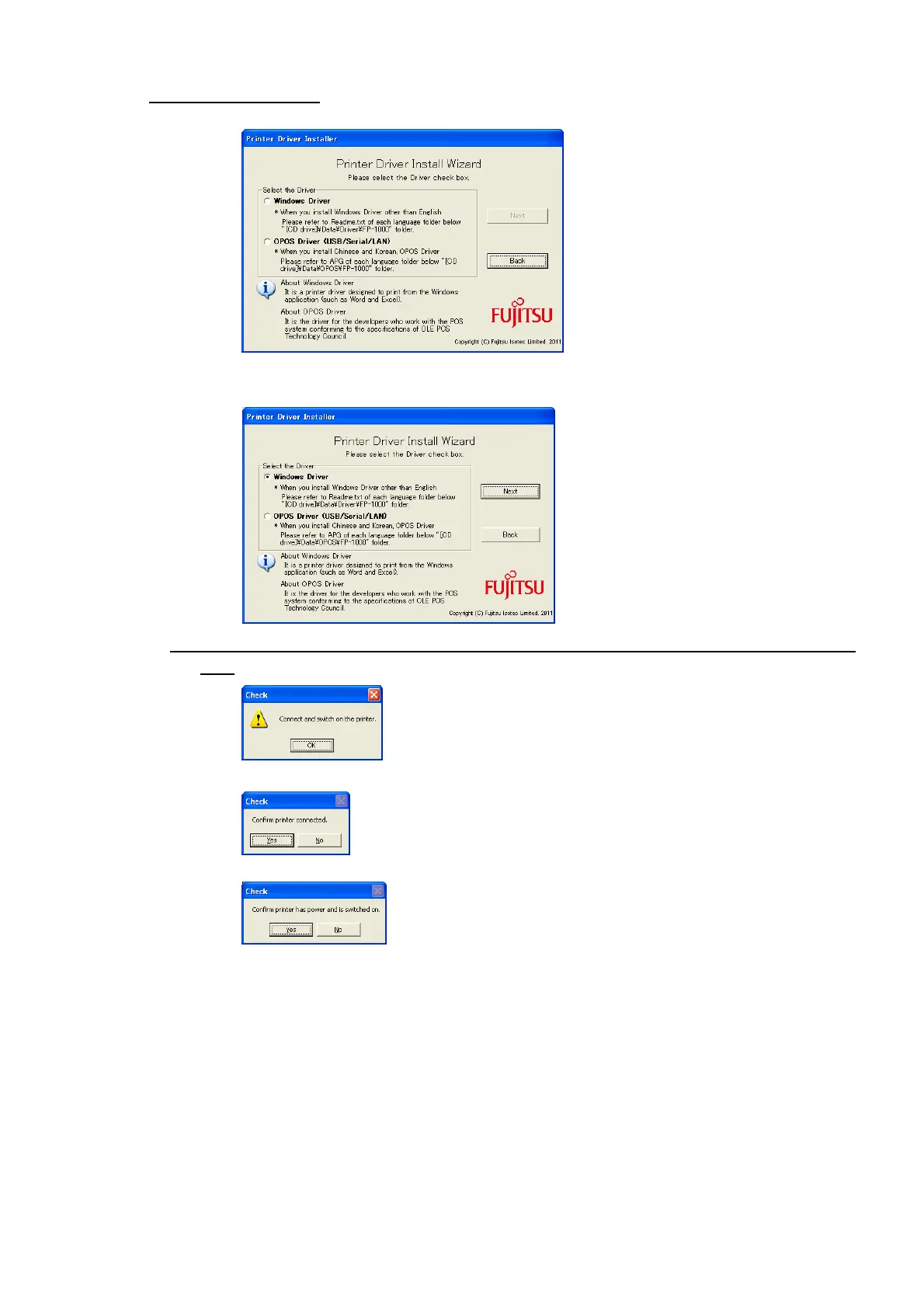
(1) Select [Windows Driver] in Select the Driver and then click [Next].
(2) First connect the printer to your PC using your desired interface, then turn on the printer and click
[OK].
(3) Confirm the connection to the printer and then click [Yes].
(4) Make sure the printer is turned on and then click [Yes].



 To Next Page
 Loading...









