Creating Searchable PDF Files
The ScanSnap is able to perform text recognition on a scanned image automatically and create a
searchable PDF file.
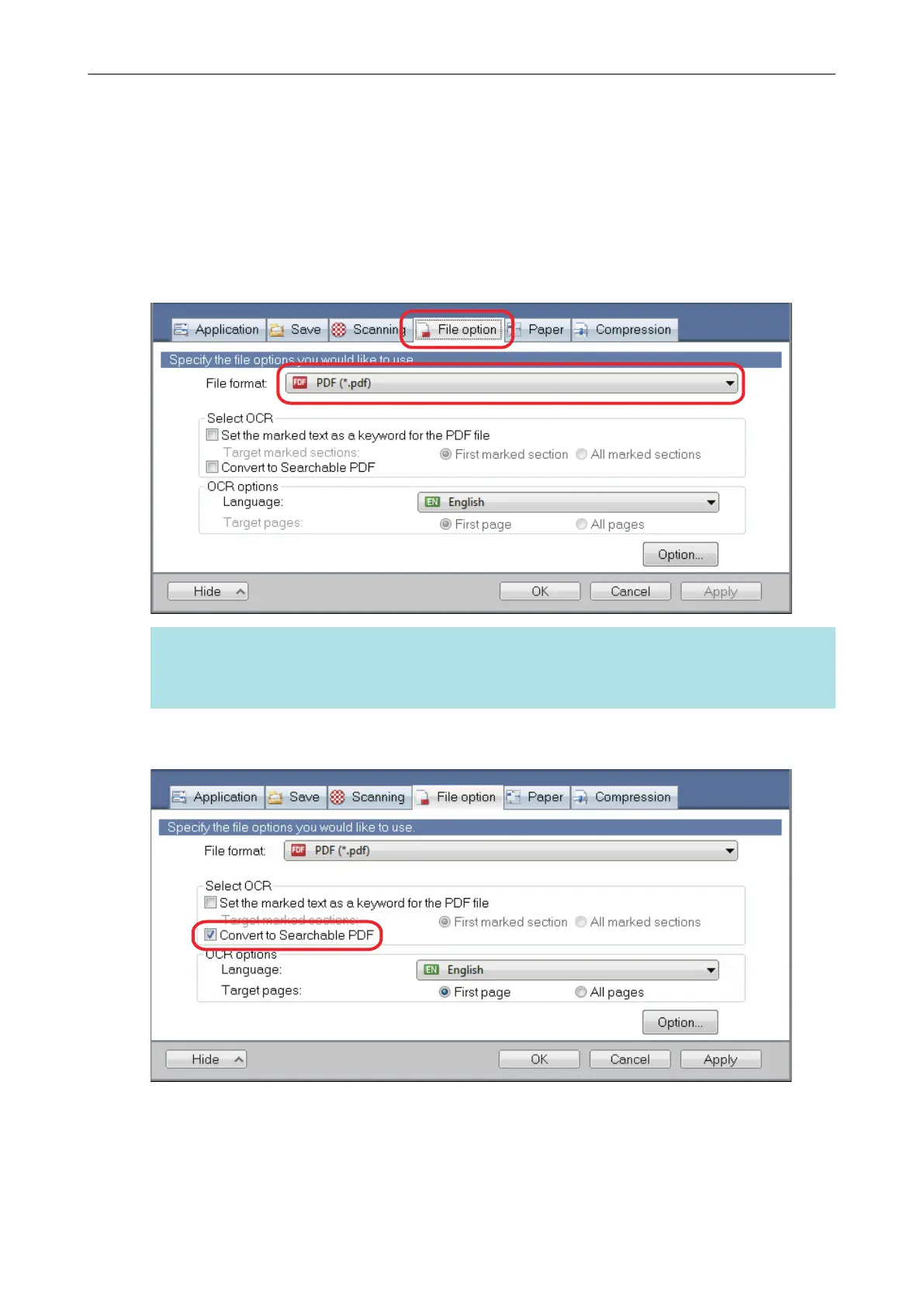
1. In the ScanSnap setup window, select [PDF (*.pdf)] from the [File format]
drop-down list in the [File option] tab.
HINT
It is recommended that you select [Better] or [Best] for [Image quality] in the [Scanning] tab of the
ScanSnap setup window.
2. Select the [Convert to Searchable PDF] checkbox.
a The following message appears.
Creating Searchable PDF Files
103















 To Next Page