12
|
13
q
6.3 Installation
DAMAGE TO ESSENTIAL VEHICLE COMPONENTS! – Essential vehicle components or wiring can be damaged when
drilling mounting holes or screwing in self-threading screws. Please make sure there is always suffi cient space behind
the screw holes and drilled holes!
6.3.1 Mounting the electronics box
Installation consoles for a number of
car models are available from your
dealer. These are designed to contain all
the system components, including the
electronics box. When it is not possible
to use an installation console, please
proceed as follows:
Defi ne the mounting points
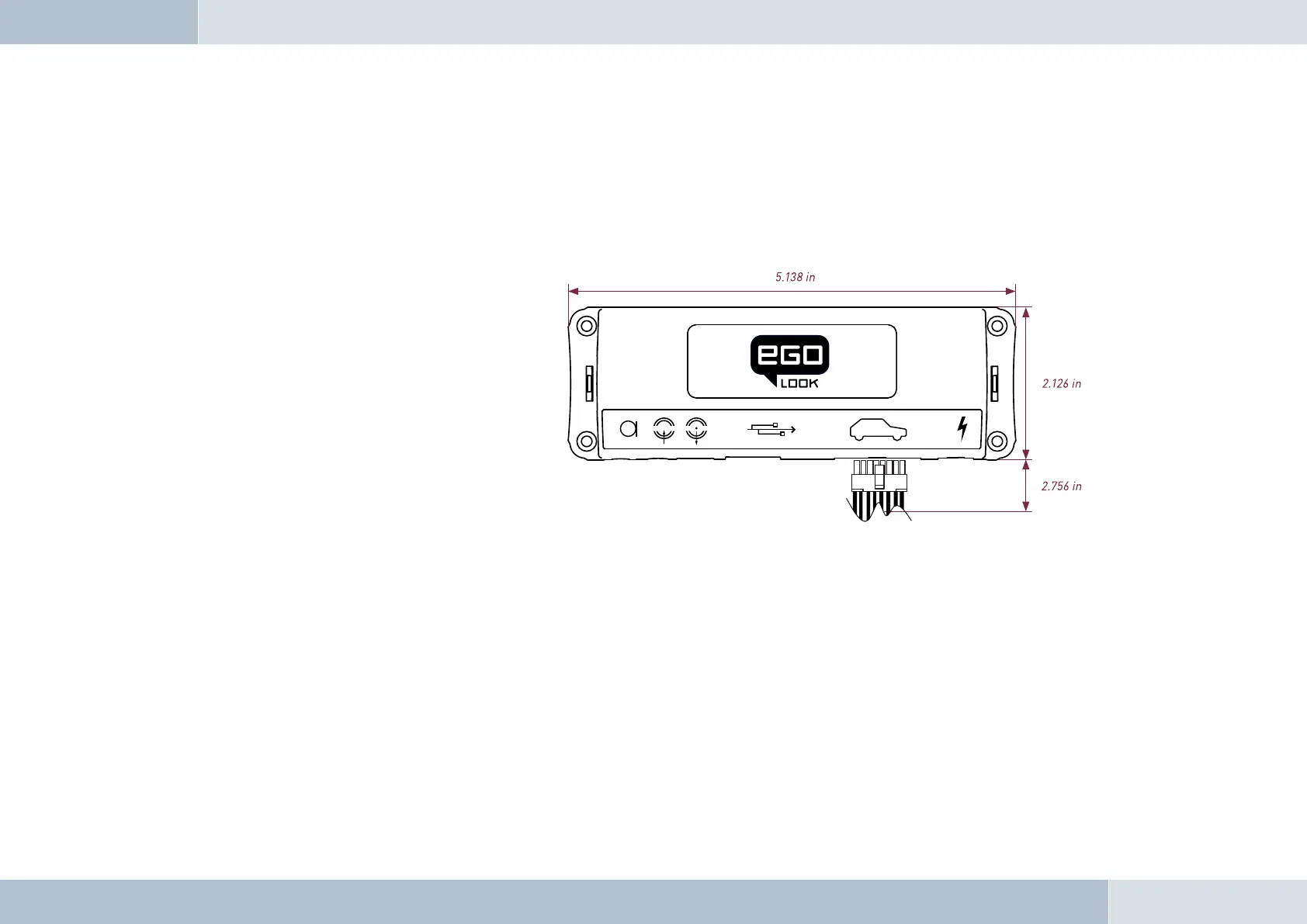
Making sure that there is at least 2.8 in
space for the plug and socket connectors. Mark the positions for the fi xing screws.
Mounting the electronics box
For mounting the electronics box, use four self-threading screws and appropriate washers. We recommend size
“ST 2,9x25 DIN 7981”self-threading screws. These are ideal for the fi xing of the electronics box. Pre-drill the holes
with a 0.08 in drill.
6.3.2 Mounting the microphone
Defi ne the mounting location
The microphone holder has a self-adhesive strip on the back. The mounting location should have the same form and area
Fig. 07:
Assembly dimensions
of the electronics box


 To Next Page
 Loading...