EGO LOOK
6.6 Connecting the components to the electronics box
The individual components are connected to the electronics box as follows:
[1] Plug the microphone jack into the jack socket with the microphone symbol
[2] The electronic box line-in can be used to connect an optional MP3 player with line-out. To do so, a connection
cable 0.14 in stereo jack plug to 0.14 in stereo jack plug (l = 4.92 ft) is required.
IMPORTANT: Only connect the device (MP3 player, iPod™, etc.) to the electronics box line-in with a jack cable when it
is being powered by battery alone (without the recharger), as interfering impulses may otherwise cause damage to the
electronic box line-in.
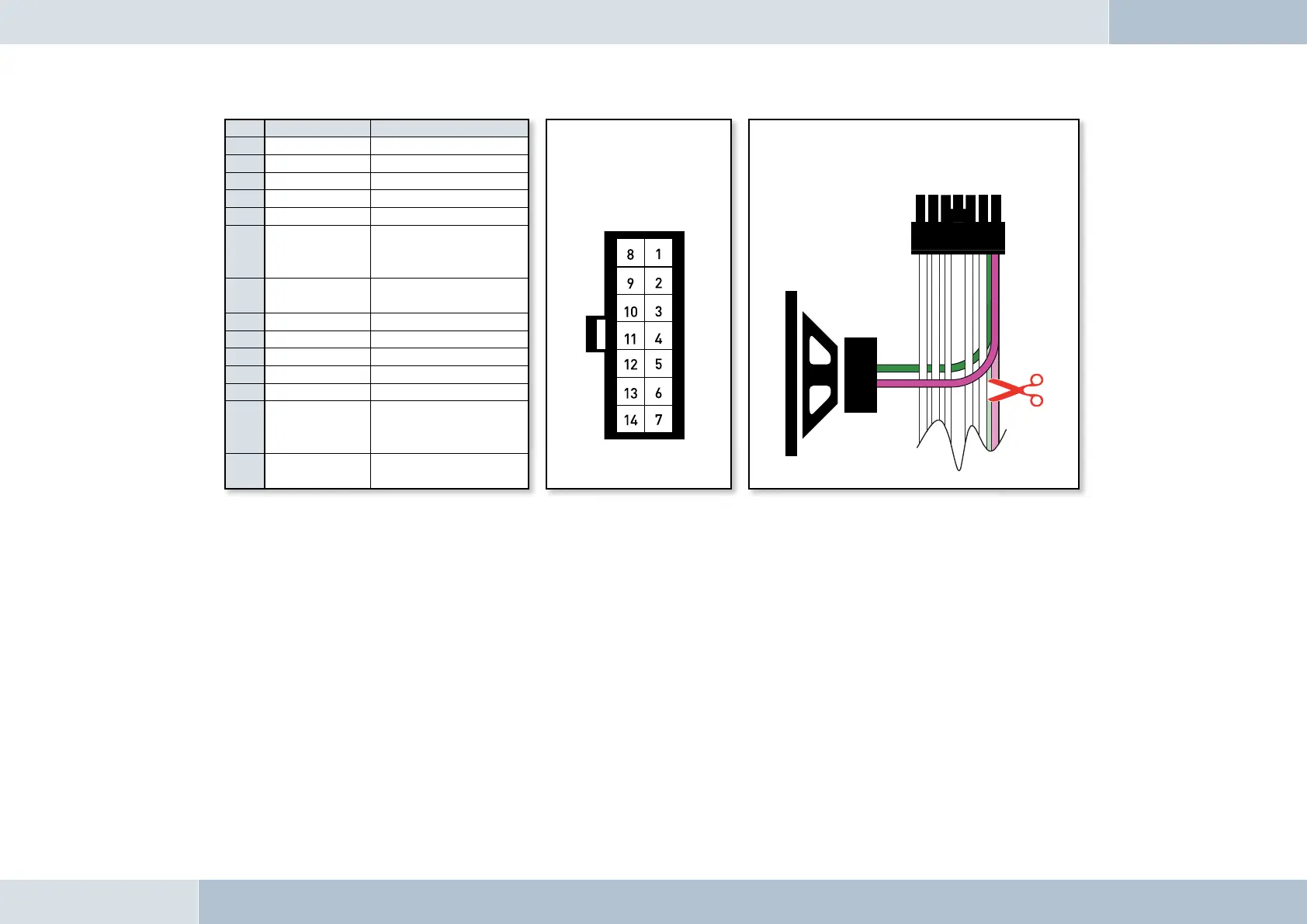
Pin Colour Function
View of the plug side,
from which the wiring is
fed in the plug housing
(with pin allocation)
Connection option for additional speakers on pin 7
(purple lead) and pin 14 (green lead) of the 14-pin plug
1 Brown Ground (31)
2 Yellow Radio mute
3
4
5
6 White
Car audio speaker
output +
(front right)
7 Purple
Speaker lead +
(front right)
8 Red Permanent positive (30)
9 Blue Ignition (15)
10
11
12
13 Black
Car audio speaker
output -
(front right)
14 Green
Speaker lead -
(front right)
Fig. 14:
Connecting external
loudspeakers
q


 To Next Page
 Loading...