3. ARP OPERATION
3-33
5. Roll the wheel to choose 2 ARP TEST START and then push the wheel or
the left button to start the test.
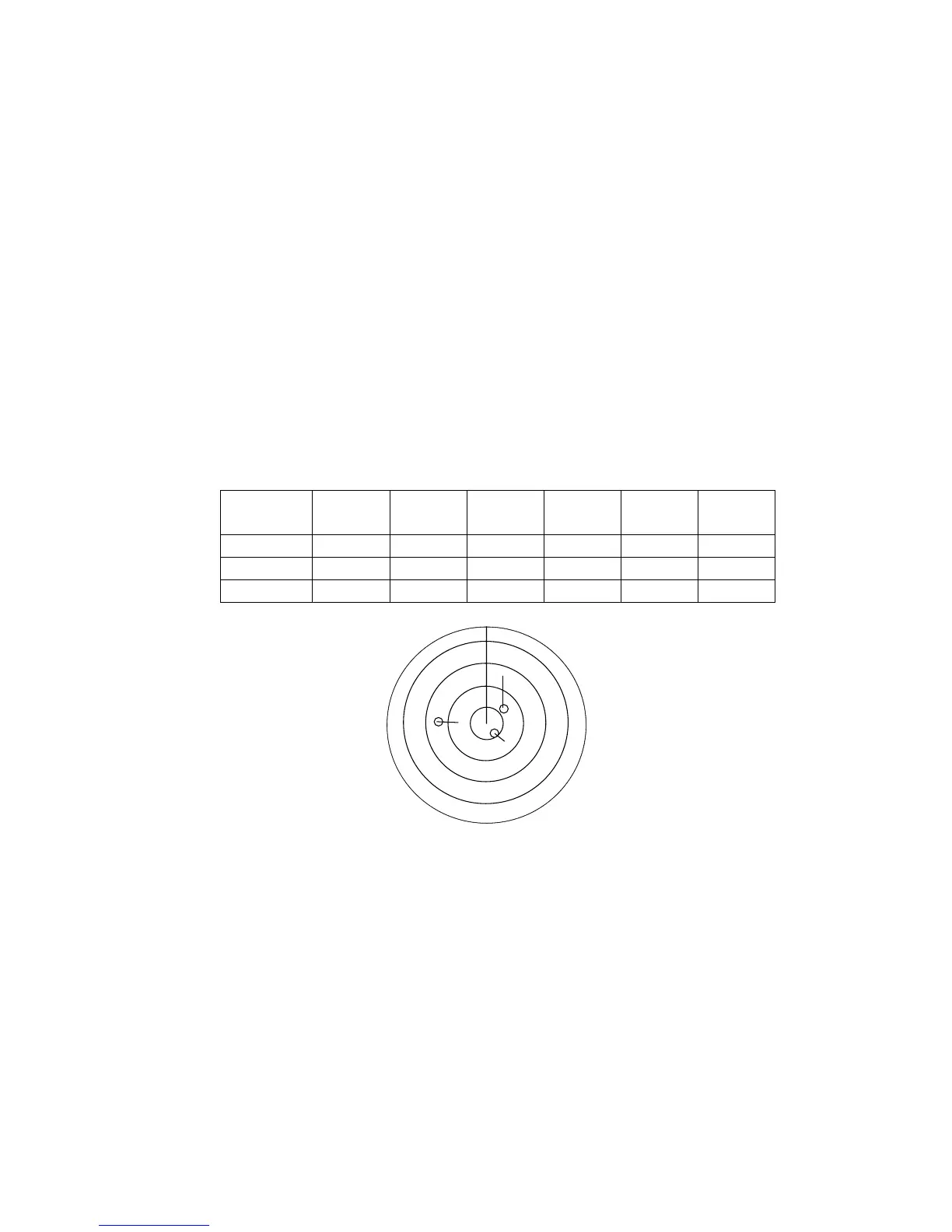
An alert “XX” flickers during the test. It takes approximately three minutes for
all vectors to be displayed. The test does not need echo signals, gyro nor
speed log input. Three targets having different speeds and courses, as
shown in the table below, are simulated automatically, together with current
targets. These targets can be treated as you would an ordinary ARP target –
you may cancel them, display their data, etc.
6. The test continues for five minutes and then repeats.
To terminate the test, press the [STBY TX] key or choose the TX STBY box at
the bottom left corner and then push the left button.
Select any target with the cursor and check that the selected target shows the
course and speed as in the table. CPA and TCPA shown in the table are with
ship’s speed of 0 kt. Range, CPA and TCPA change with time; bearing and
speed are fixed.
Range
(nm)
Bearing
(°)
Speed
(kt)
Course
(°)
CPA
(nm)
TCPA
(min)
Target A 3.0 45.0 20.0 0 2.1 -6.4
Target B 2.0 120.0 5.0 120.0 0.0 -24.0
Target C 7.0 270.0 10.0 90.0 0.0 42.0
A
XX
C
B



 To Next Page