1. RADAR OPERATION
1-47
[PICTURE MENU]
1 INT REJECT
OFF/1/2/3
2 ECHO STRETCH
OFF/1/2/3
3 ECHO AVERAGE
OFF/1/2/3
4 NOISE REJ
OFF/ON
5 AUTO STC
OFF/ON
6 AUTO RAIN
OFF/1/2/3/4
7 VIDEO CONTRAST
1/2/3/4/
A/B/C
8 [PULSE]
9 [CONDITION]
0 DEFAULT (ENTERX3)
1.26 Echo Stretch
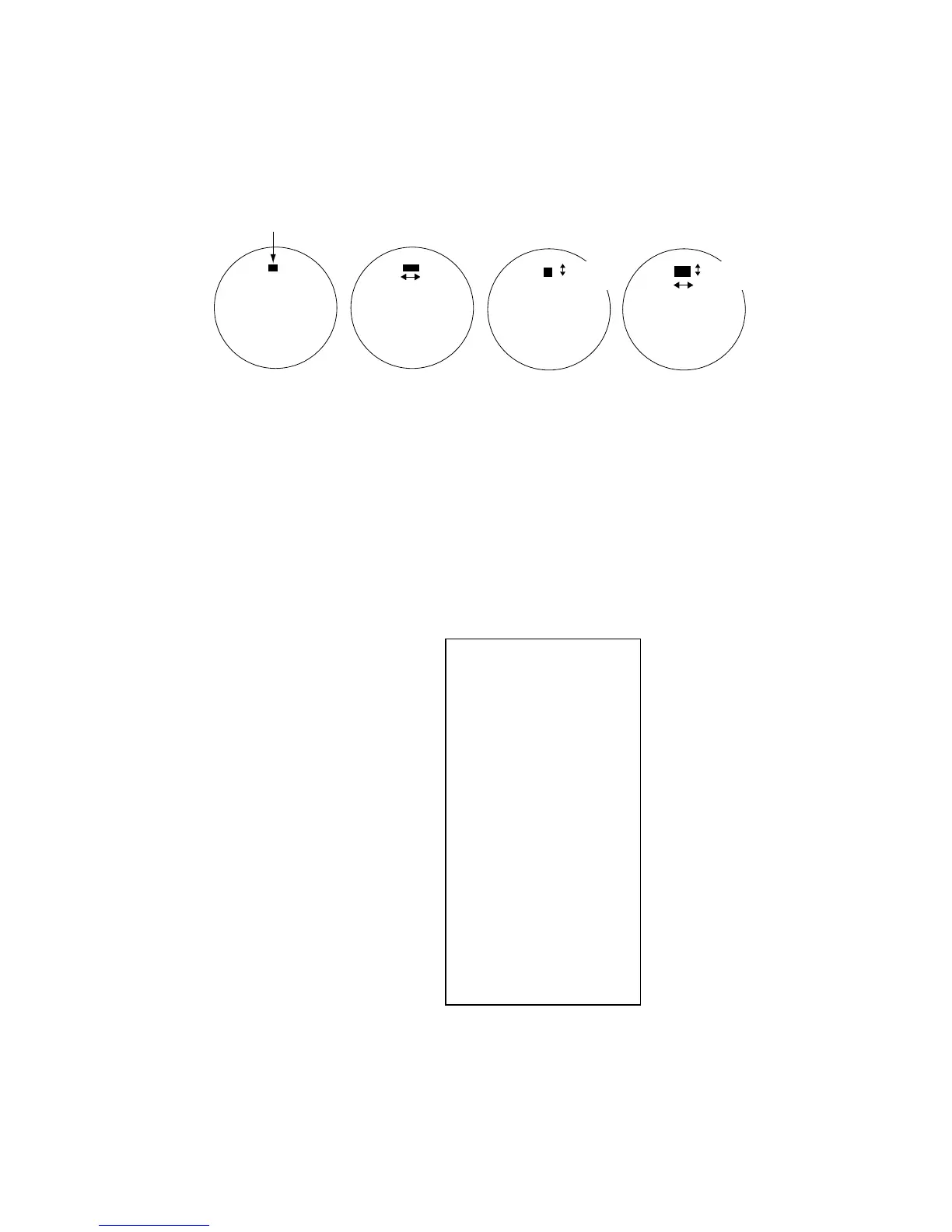
The echo stretch feature enlarges targets to make them easier to see, and it is
available on the 1.5 -12 nm ranges depending on echo stretch type. There are 3
settings: ES1 to enlarge in bearing direction for long range detection, ES2 to
enlarge in range direction and ES3 to enlarge in bearing and range directions.
Echo Stretch 1 Echo Stretch 2 Echo Stretch 3
Bearing
direction
Range
direction
Echo Stretch OFF
Target
Bearing
direction
Range
direction
Use on range
1.5 - 12 nm
Use on range
1.5 - 6 nm
Echo stretch
Note 1: If the 1.5 nm is preset with a pulselength of S1 or S2, and the 3 nm
scale with S2, the echo stretch is not available on those range scales.
Note 2: The echo stretch magnifies not only small target pips but also returns
(clutter) from sea surface, rain and radar interference. For this reason,
make sure these types of interference have been sufficiently
suppressed before activating the echo stretch.
1. Roll the trackball to choose the PICTURE box at the left side of the display.
2. Push the right button to show the PICTURE menu.
PICTURE menu
3. Roll the wheel to choose 2 ECHO STRETCH and then push the wheel or the
left button.
4. Roll the wheel to choose desired echo stretch and then push the left button.
5. Push the right button to close the menu.



 To Next Page