5. VIDEO PLOTTER OPERATION
5-5
• To continue entering the same mark or line (with the guidance box showing
“MARK / EXIT”), roll the trackball to choose location and then push the left
button.
• To quit entering marks or lines, push the right button when the guidance box
reads “MARK / EXIT.”
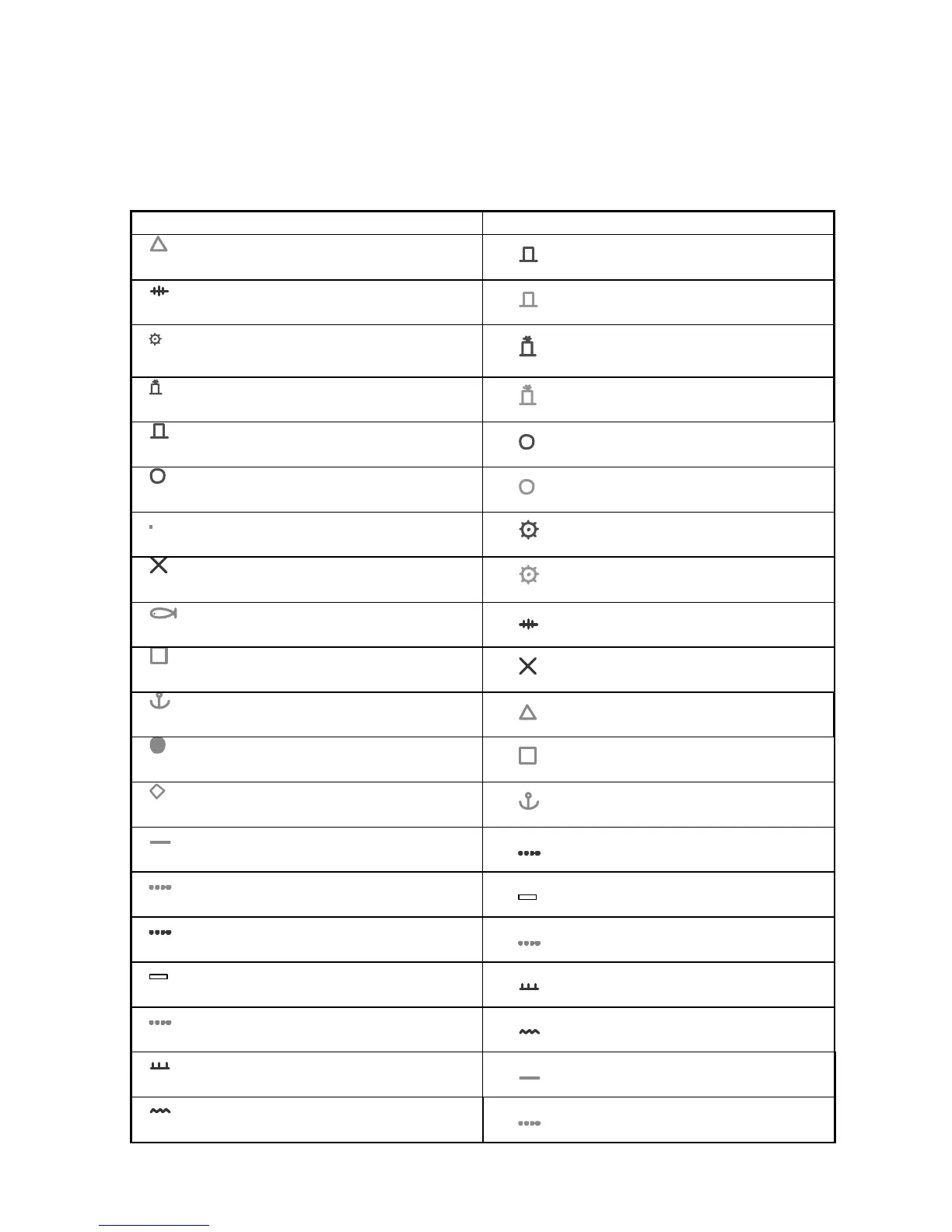
Non-IMO IMO
Cyan
Available in seven colors
Red
Purple
Available in seven colors
Green
Red
Available in seven colors
Red
Red
Available in seven colors
Green
Red
Available in seven colors
Red
Red
Available in seven colors
Green
Cyan
Available in seven colors
Red
Purple
Available in seven colors
Green
Cyan
Available in seven colors
Purple
Cyan
Available in seven colors
Purple
Cyan
Available in seven colors
Cyan
Cyan
Available in seven colors
Cyan
Cyan
Available in seven colors
Cyan
Cyan
Available in seven colors
Purple NAV LINE
Cyan
Available in seven colors
White COAST LINE
Purple NAV LINE
Available in seven colors
Gray CONTOUR LINE
White COAST LINE
Available in seven colors
Purple PROHIBITED AREAS
Gray CONTOUR LINE
Available in seven colors
Purple CABLE
Purple PROHIBITED AREAS
Available in seven colors
Cyan
Purple CABLE
Available in seven colors
Cyan



 To Next Page