5. VIDEO PLOTTER OPERATION
5-32
[NAV LINE•WPT (2/2)]
1 BACK
2 SKIP NEXT WPT
3 TURNING LINE
OFF/ON/REVISED
4 DISP WPT NO.
OFF/ON
5 DISP WPT NAME
OFF/ON
4. Roll the wheel to choose INTERNAL DATA and then push the wheel or the
left button.
5. Roll the wheel to choose 5 NAV LINE WIDTH.
6. Use the wheel to enter the width for the nav line, from 0.0-9.9(nm). A pair of
red lines mark the width of the nav line.
7. If you want to be alerted when own ship nears a waypoint by a preset
distance, roll the wheel to choose 4 ARRIVAL WPT ALARM and then push
the wheel or the left button. Push the wheel to choose ON.
8. Use the wheel to enter the arrival alarm range, in three digits.
9. Roll the wheel to choose 0 NEXT and then push the wheel or the left button.
NAV LINE•WPT menu (2/2)
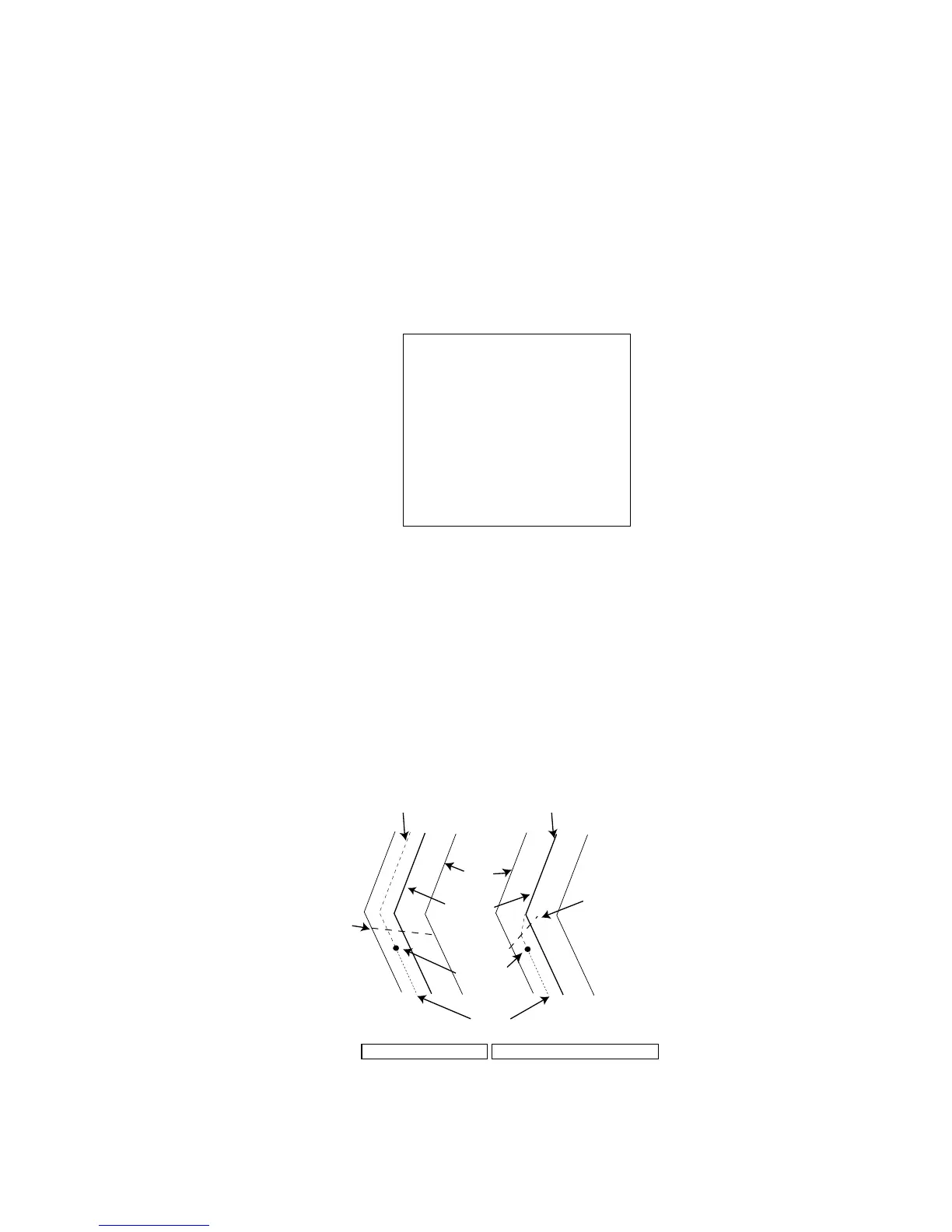
10. Roll the wheel to choose 3 TURNING LINE and then push the wheel or the
left button.
11. Roll the wheel to choose appropriate option and then push the wheel or the
left button.
OFF: Turns turning lines off.
ON: Use this setting when the vessel is not to correct cross track error to return
to course set, after arriving at turning line location.
REVISED: Use this setting when vessel is to return to course set after correcting
cross track error, after arriving at turning line location.
Own ship
Turning line
Course
Nav
line
Track
Turning line
TURNING LINE: REVISED
TURNING LINE: ON
No cross track error
correction at turning line
Cross track error
correction at turning line
Turning line
12. Push the right button three times to close the menu.



 To Next Page