38
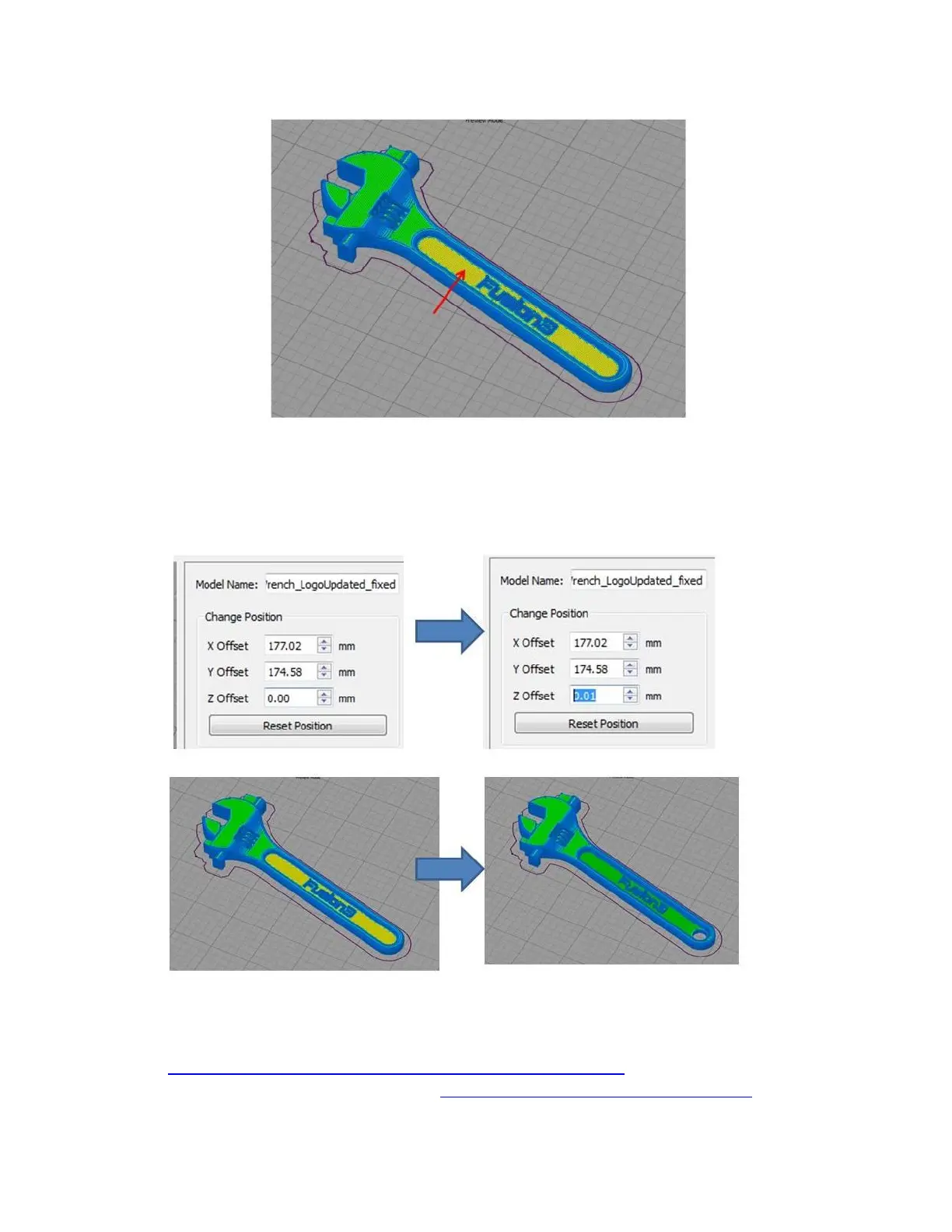
Here you can see what should be a normal top layer is being treated as a bridge.
Fortunately this is a simple fix: by offsetting the part in Z by a very small amount, Simplify3D will generate the
correct toolpath.
7.7.6 Other
Setting up multiple processes to fine-tune how parts are printed:
https://www.simplify3d.com/support/tutorials/working-with-file-types/
Using the “Place Surface on Bed” function: https://www.youtube.com/watch?v=XJi4_ScDLtE



 To Next Page