49
2) Via the Control Panel
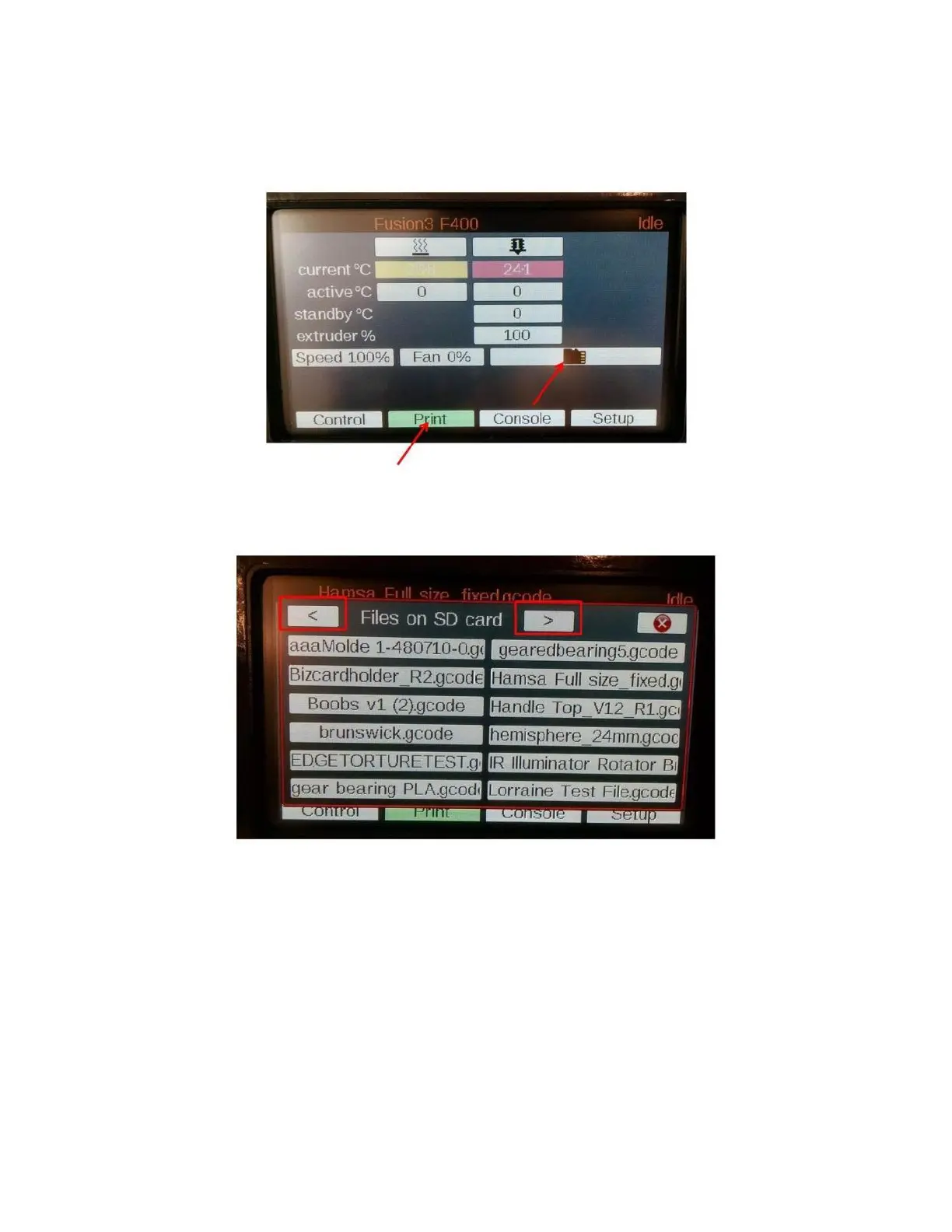
Click on the “Print” tab, then click on the SD card icon.
A list of all the gcode files on the card will pop up. Locate the file you want to print and click it. If you have a lot of
files on the card, you may need to scroll through the list with the “<” and “>” keys.
Select your file, and then click “Print” in the box that pops up. It’s a good idea to double check the file name in this
box before you hit print – it’s easy to select the wrong by accident.



 To Next Page