FXO H.323 Gateway User Manual Document Ver.: 118a
Release Sep, 2004
9
2.2 IP Environment Setting
User must prepare a valid IP address, complied with IP Network, for Gateway’s
proper operation.
For testing the validation of chosen IP address, using the same IP
configuration in other PC or Notebook, and then try to connect to Public
Internet (go to well-known website, receive Internet mail, or ping a specific
public IP address). If it works, use the same IP address and network
configuration for Gateway.
Please follow up the step for the configuration of your computer or notebook.
2.2.1 For Windows 2000/NT
Please make sure that the network interface of your computer is working fine
and the cross over line (RJ-45) is connecting with the computer correctly or
you could use a hub to connect with your computer and this gateway. Turn on
your computer and configure the network parameter as follow:
1 Go to the start menu and enter the setting area. Click control panel.
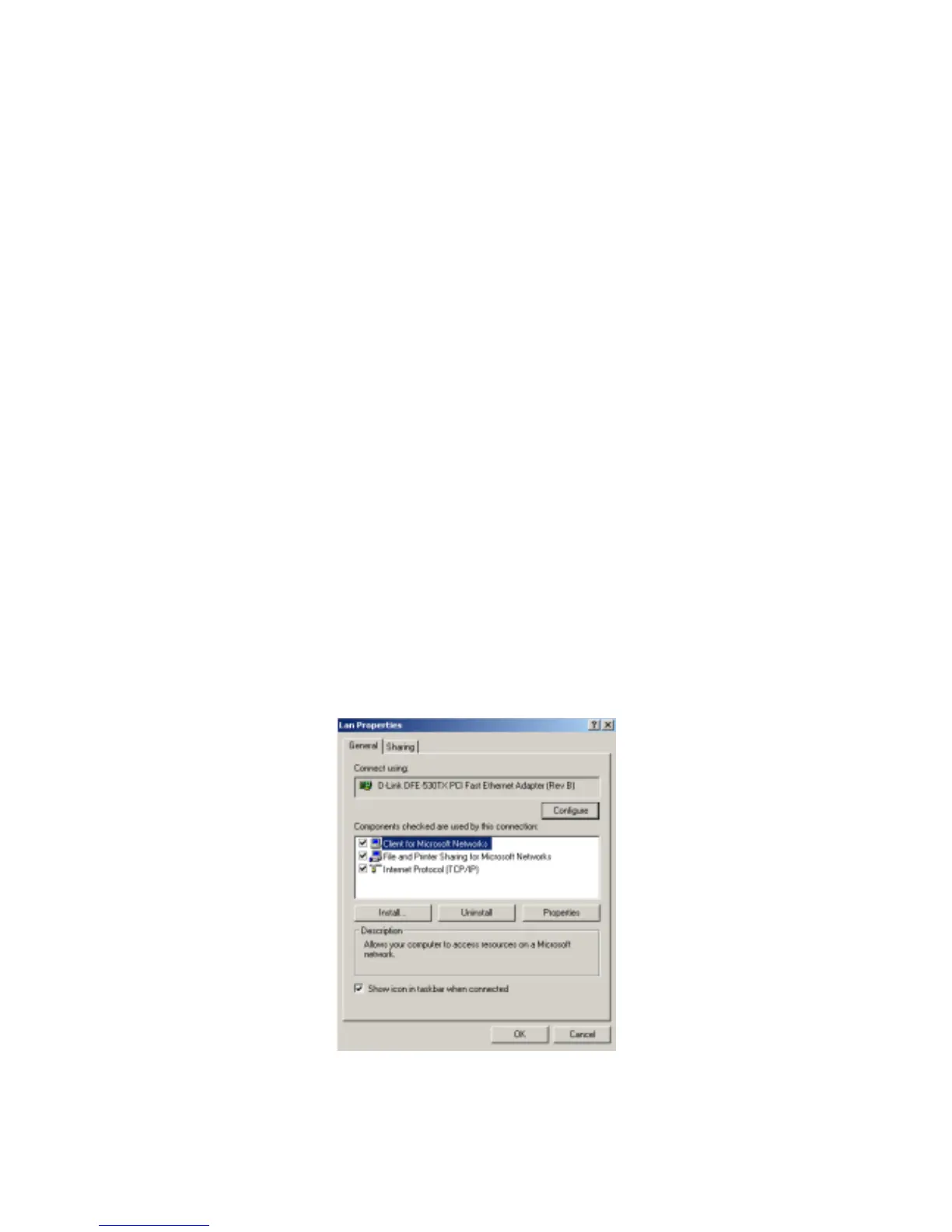
2 Enter the network configuration.
Figure 2.1: Network Configuration



 To Next Page