
EasyManua.ls Logo

G-Tek 27 Series - User Manual

G-Tek 27 Series
27 pages
Print Icon
To Next Page IconTo Next Page
Loading...
CR-2010 BBR
Model No.: 27xx...
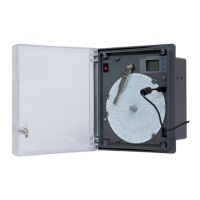
Circular Chart Recorder
Pro
G-Tek Corporation Pvt. Ltd.
3, mahavir estate, karelibaug
vadodara-390 018
tel.: +91-265-2461912
email: info@gtek-india.com
url: www.gtek-india.com
OPERATING
MANUAL
CR-2010 BBR
Pro

Questions and Answers

  • J
    jamesphillipsJul 29, 2025
    What to do if the pen is positioned properly but it is not marking on G-Tek Measuring Instruments?
    • J
      Jeffery OrtizJul 29, 2025
      If you're using a pressure pen, make sure you're using pressure-sensitive chart paper and that the pen tip is touching the paper correctly. If you're using a normal ink pen, the pen may be dried; consider replacing it.
  • X
    xdavisAug 3, 2025
    How to fix pen ink blotting in G-Tek Measuring Instruments?
    • N
      nguyenmeganAug 3, 2025
      To resolve pen ink blotting: remove any excess ink with blotting paper. Also, the pen arm pressure might be too high, so adjust it. Finally, check if the chart knob is tightened properly.
  • R
    Robin FisherAug 8, 2025
    What to do if the pen does not respond to input on G-Tek Measuring Instruments?
    • K
      Kenneth BrownAug 8, 2025
      First, check if the input value is within the recorder's range. If it is, perform a mechanical calibration.
  • M
    Melissa SchwartzAug 12, 2025
    What to do if power is on but pen does not move in G-Tek Measuring Instruments?
    • C
      Christopher ColemanAug 12, 2025
      Check the sensor input. If the input is within range, perform a mechanical calibration. If that doesn't work, the pen motor may be faulty, and you should replace it.
  • R
    Robert CoxAug 18, 2025
    Why is the reading not stable on G-Tek Measuring Instruments?
    • D
      dawn18Aug 18, 2025
      Replace the sensor with a fixed known input. If this solves the problem, inspect the original sensor and replace it if necessary.
  • S
    Suzanne PatelAug 22, 2025
    What to do if the chart does not move on G-Tek Measuring Instruments?
    • W
      William CummingsAug 22, 2025
      Check if the chart knob is tightened properly.

Summary

SAFETY AND THE ENVIRONMENT

ABOUT THIS DOCUMENT

Provides information about the instruction manual and its importance.

ENSURE SAFETY

Details on operating the product safely and performing maintenance.

PROTECTING THE ENVIRONMENT

Guidelines for proper disposal of batteries and the product.

SPECIFICATIONS

USE

Describes the intended application of the recorder, monitoring blood bank refrigerator temperatures.

FEATURES

Lists the key features of the chart recorder, including chart width, display, and connectivity.

TECHNICAL DATA

Presents detailed technical specifications like model, product code, and performance parameters.

UNPACKING AND INSPECTION OF RECORDER

INSTALLATION

Details on how to install the recorder, including environmental conditions and placement.

OVERALL MECHANICAL DIMENSIONS

Provides the physical dimensions of the recorder and panel cutout requirements.

ELECTRICAL INSTALLATION

WIRING DIAGRAM FOR RECORDER

Illustrates the connections for AC mains, sensor, and battery input on the recorder.

FITTING THE CHART

Step-by-step instructions on how to install or replace the chart paper in the recorder.

OPERATION

FRONT PANEL OF RECORDER

Describes the front panel layout, including keys and the display functionality.

SET RTC MENU

SET RTC MENU SEQUENCE

Details the sequence for setting the Real-Time Clock (RTC) using the front panel keys.

VIEW CURRENT TIME & BATTERY STATUS INDICATION

Explains how to view the current time and battery status displayed on the recorder.

OFFSET MENU

CALIBRATION MENU

MECHANICAL CALIBRATION

Guides the user through the process of setting pen zero and full scale on the chart.

TROUBLESHOOTING GUIDE

STANDARD ACCESSORIES

ORDER CODE

G-Tek 27 Series Specifications

General IconGeneral
BrandG-Tek
Model27 Series
CategoryMeasuring Instruments
LanguageEnglish

Related product manuals