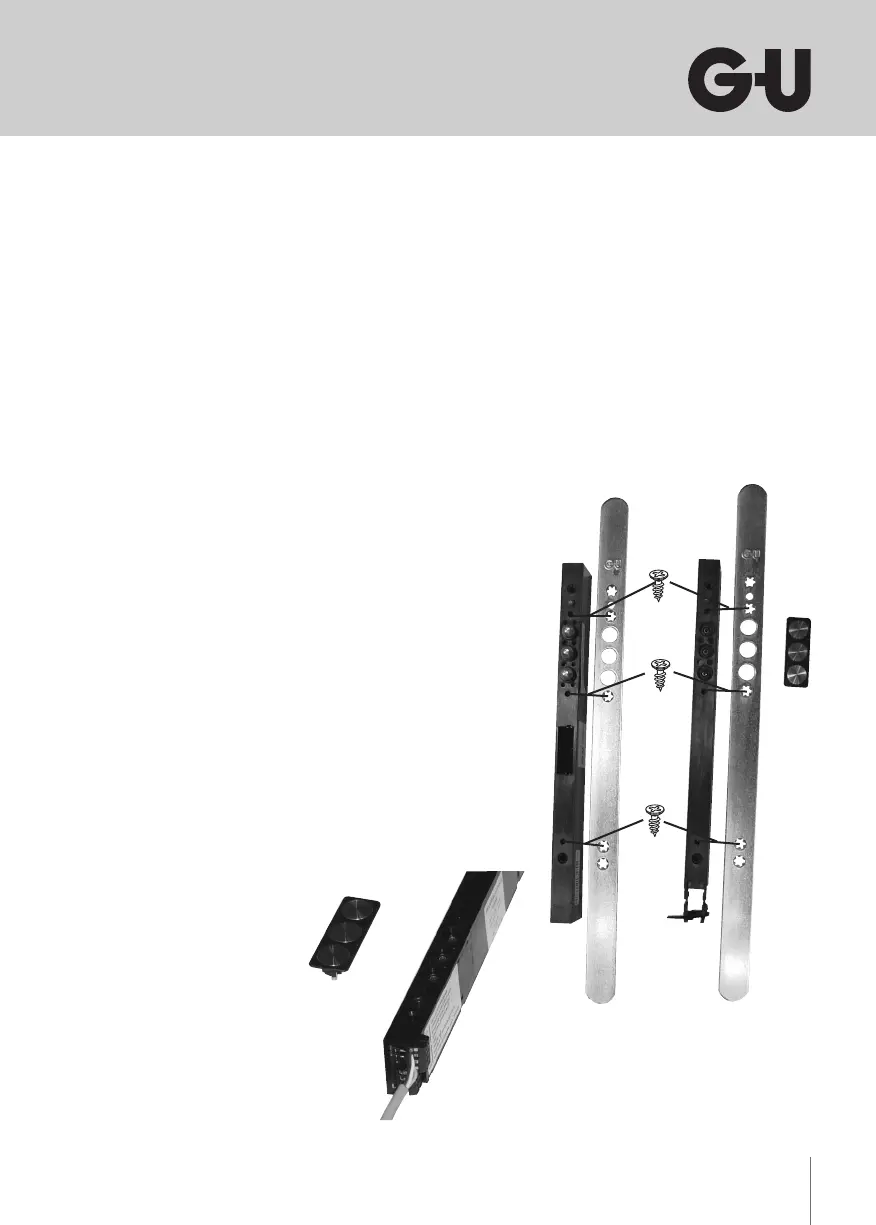
5.2 Mounting the contact holder with contact plates
After having attached the faceplate, mount the contact holder with the
contacts to SECUREconnect R.
The contact plates are firmly attached to the contact holder, so all you
have to do is press the unit through the faceplate bores into the provided
jacks, you will feel the part snap in lightly.
If necessary, the contact unit can be levered out again carefully using an
appropriate tool, e.g. an screw driver.
Contact holder with
contact plates


 To Next Page