menus, except for the sale, you can pull the tape key
combination
SHIFT
+▲
ROLL
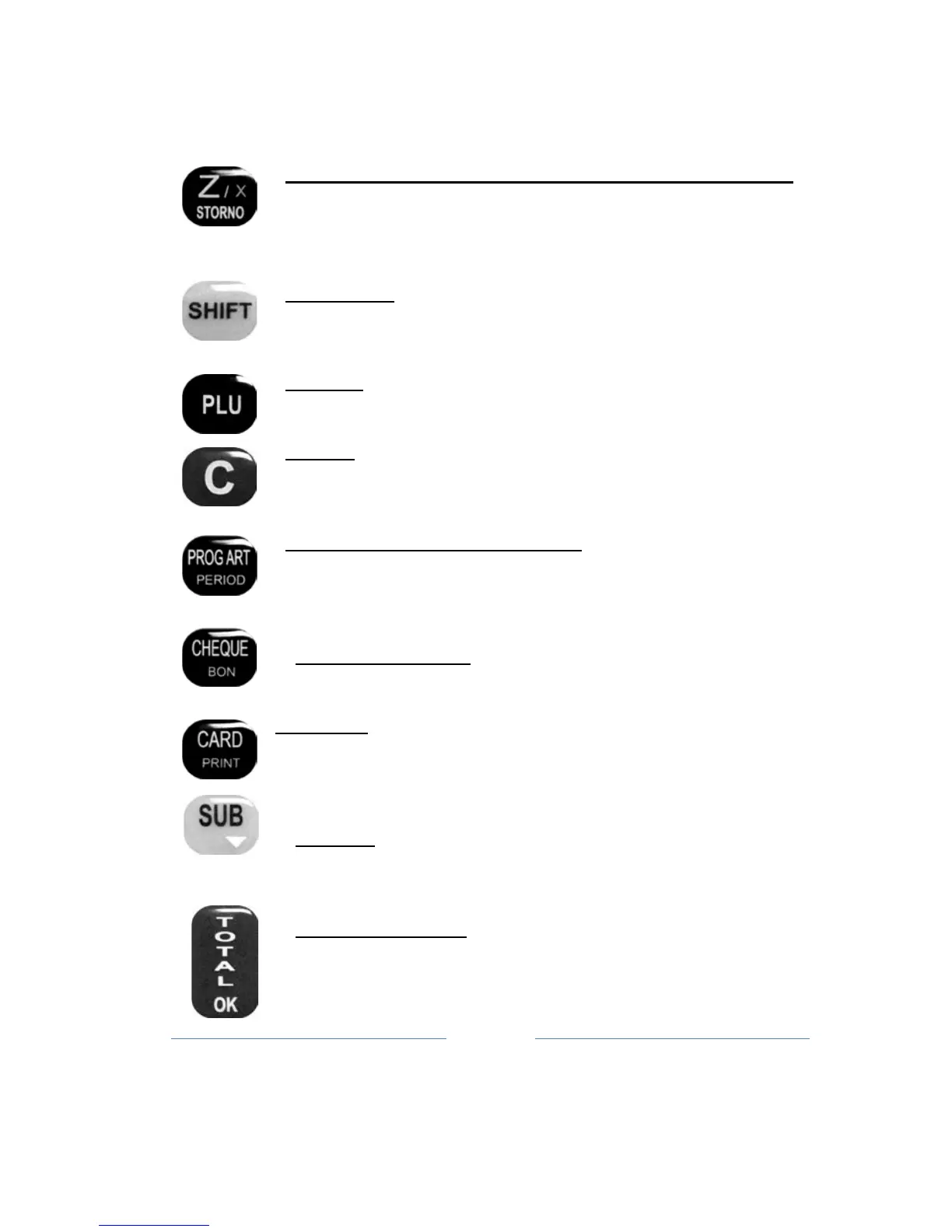
Key Z – daily report with clearing / VOID / REFUND:
Function printing Z Report, or a function VOID (on fiscal
receipt when is applies one sale) or REFUND, also when is
sale mode,
in
combination with SHIFT key (refund receipt)
Key SHIFT: Change function key on functional /
programmable keys
Key PLU: Functions entering the sales mode if you are in
the main menu, sale articles by code
Key C : Erase function one by one character, it can also
return to the previous
menu,
deleting characte
rs
in defining
values and names
.
Key PROG ART / PERIOD : Shortened enter the
programming menu items, and in combination with the Shift,
performs period report (fiscal or summary)
printing
Key CHEQUE / BON: Function paying by check
Key CARD: Function paying by card, and has a print function
default parame
ters when in a menu
Key SUB: Function of insight on the current state of the
account (subtotal), and
moving
through menus and sub-
menus backwards
Key TOTAL / OK: Print function previously defined
accounts, while in all other
menus
has the function of
confirmation
OK



 To Next Page