3E2364WeighScaleW810v2UserManual
Page55
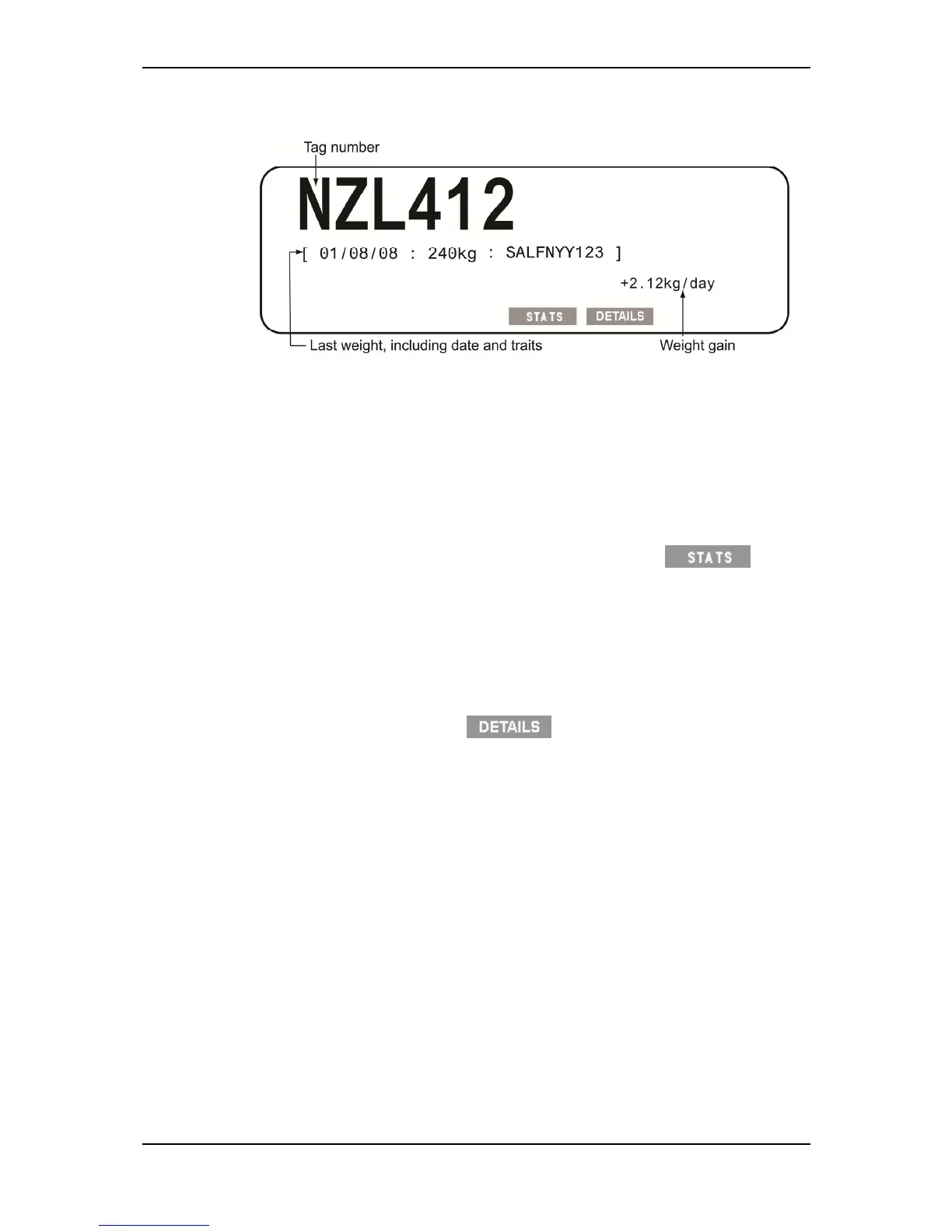
IfavailableontheWeighScale,thelastrecordedweightfortheidentified
animaldisplays:
Note:IftheADGDisplayisturnedtoOFFinUserOptions,theweightgain,
lastrecordedweight,eitherTraitoruserenterednotedata,willnotbe
displayedonthescreen.
Note:Iftheweightgainstatisticsscreenisdisplayedpriortoananimal
steppingontheplatform,whentheweightlocks,theanimal'sweightgain
willbedisplayedonthelowerscreenalongwiththeElectronicorVisual
Identificationnumber,ConditionScoreandNote.
Toviewthestatisticsforthesessionpressandholdthe soft
key.Thestatisticsdisplayedare:
Weightstatisticsscreen‐ifdraftingisdisabled.
Draftbyweightscreen‐ifdraftingbyweightisenabled.
Note:Draftbyliststatisticsareshownoncetheanimalhaslefttheweighing
platform.
Toviewthetraitrecordinformationinthesamelayoutasitwasoriginally
entered,pressandholdthe softkey.
10. Iftheweighthaslockedonbutyouwanttore‐weightheanimal,pressthe
greenweighkey.TheWeighScalere‐weighstheanimalandlocksontothe
weightagain.Thenewweightreplacestheoriginalweightandthestatistics
areupdated.
Forexample,if
theanimalwasnotcompletelyontheweighingplatform,the
WeighScalemayhavelockedontoanincorrectweight.
Youdonotneedtore‐entertheVisualTagNumber,conditionscoreornote
ifyouhavere‐weighedtheanimal.
11. Movetheanimalofftheplatform.Theweightof
theanimalisrecordedas
soonastheanimalleavestheplatform(theweightdecreasesby30%or
more).Atthispointtherecordsaves.TofurtheredittheNotesand
ConditionScoresyouhavetousetheprocessoutlinedinEditingweight
records(p77).
Theweightremainsonthescreenuntilthenextanimalstepsontothe
platform.
Iftheanimalhaslefttheplatformandyouwanttodeletetheweightthat
hasjustbeenrecorded,pressthereddeletebutton.Thelastweightentered



 To Next Page