Cabinet Installation FPT Gateway Installation
15FocalPoint™ Gateway Installation & Operation Manual - P/N: 52649:Rev: B3 2/11/10
2.3 Cabinet Installation
Mount the Gateway cabinet on in inside wall per local requirements.
Step 1. Use the provided door lock key to unlock the cabinet’s door.
Step 2. Remove the cabinet’s door from the back box (reinstall the door when installation is
complete).
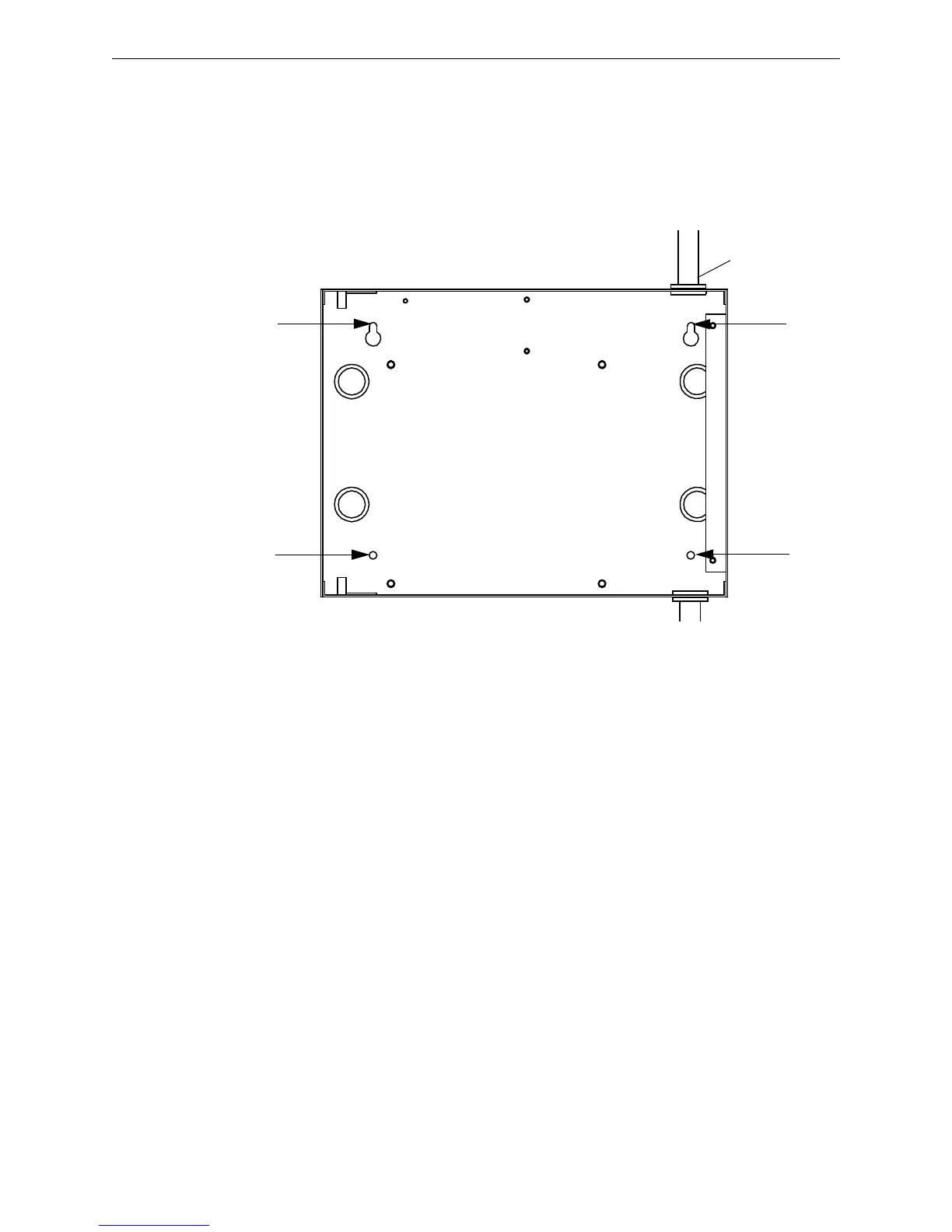
Step 3. Mount the cabinet’s back box to the wall using the holes indicated in the following figure.
Figure 2.2 Gateway Cabinet Mounting
Step 4. Connect the required conduit to the desired knock-out location(s) in the cabinet.
Step 5. You are now ready to perform the “Hardware Installation” on page 16.



 To Next Page