FPT Gateway Installation Hardware Installation
16 FocalPoint™ Gateway Installation & Operation Manual - P/N: 52649:Rev: B3 2/11/10
2.4 Hardware Installation
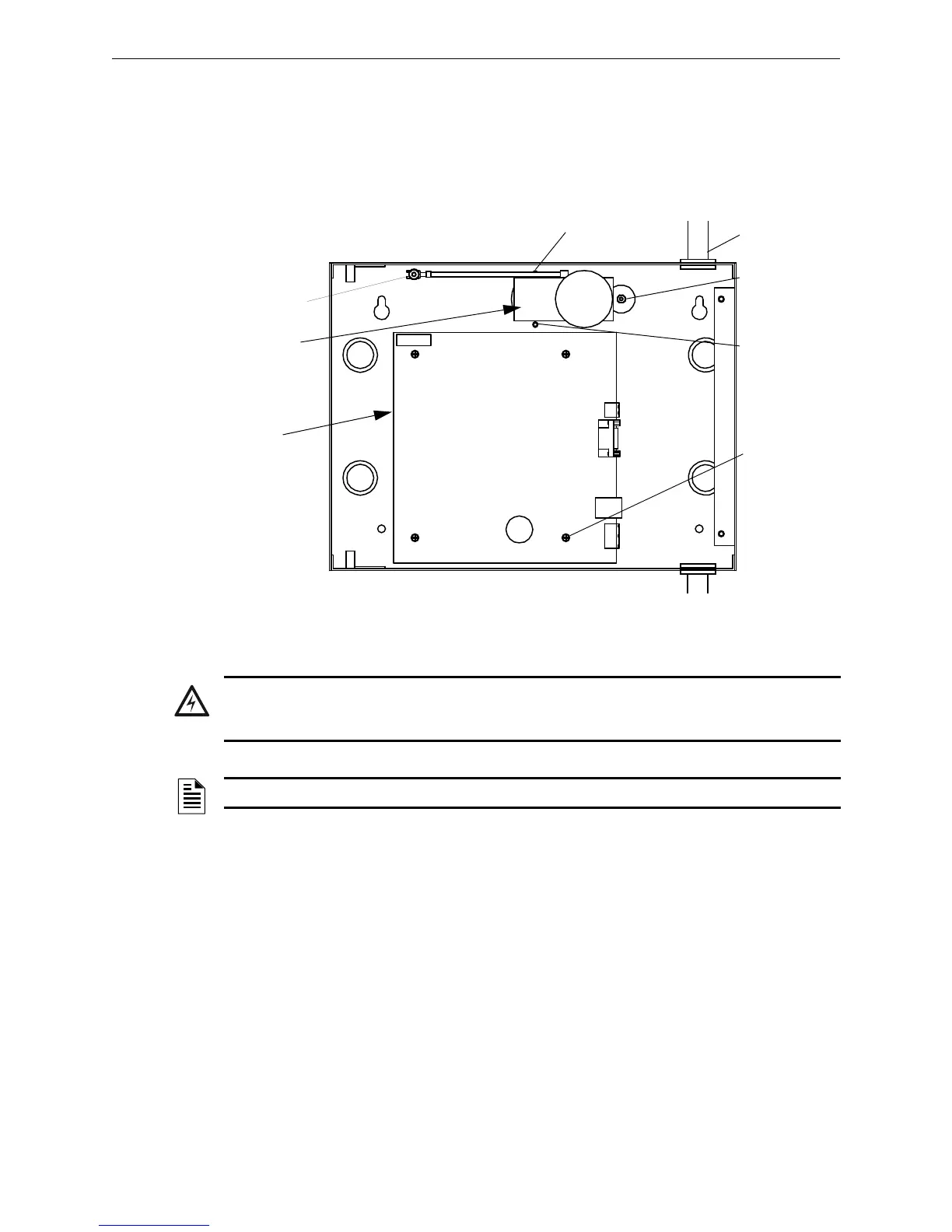
Step 1. Install the PNET-1 between the gateway cabinet’s standoffs using the supplied hex nut
(#4).
Step 2. Ground the PNET-1 to the cabinet using the supplied hex nut (#6).
Step 3. Install the FocalPoint™ PC board on the gateway cabinet standoffs using the supplied
screws (#4).
Figure 2.3 Gateway Parts Mounting - 1
Step 4. You are now ready to perform “Cable Connections” on page 18.
PNET-1
Gateway
Board
Hex Nut
Stand-off
Hex Nut
4 Screws
Stand-off Conduit
WARNING: Electrostatic Discharge
Always observe ESD protection procedures when handling printed circuit boards and electronic
parts.
NOTE: There is a labeled grounding screw with star washer in the cabinet.



 To Next Page