7FocalPoint™ Gateway Installation & Operation Manual - P/N: 52649:Rev: B3 2/11/10
Section 1 FPT Gateway Overview
1.1 Product Description
This FocalPoint™ Gateway (FPT Gateway):
• Serves as a bridge between a FocalPoint™ Workstation and a Gamewell/FCI network.
• Translates Gamewell/FCI panel and device data into data that can be interpreted by a
FocalPoint™ Workstation.
• Monitors Gamewell/FCI networks over an IP network.
• Is configured using the FocalPoint Gateway Config Tool.
The FPT Gateway is compatible with theses Gamewell/FCI panels.
UL requires the Gamewell/FCI 7200 and E3 panels to have a two line DACT in addition to the
gateway for event reporting.
The FPT Gateway software application resides on a PC board assembly that is installed inside a
supplied cabinet. It communicates with any FocalPoint™ Workstation software application on the
FocalPoint™ system via an IP connection over Ethernet networks.
Every FocalPoint™ system must have at least one:
• FocalPoint™ Workstation
• FocalPoint™ Gateway.
• Gamewell/FCI panel.
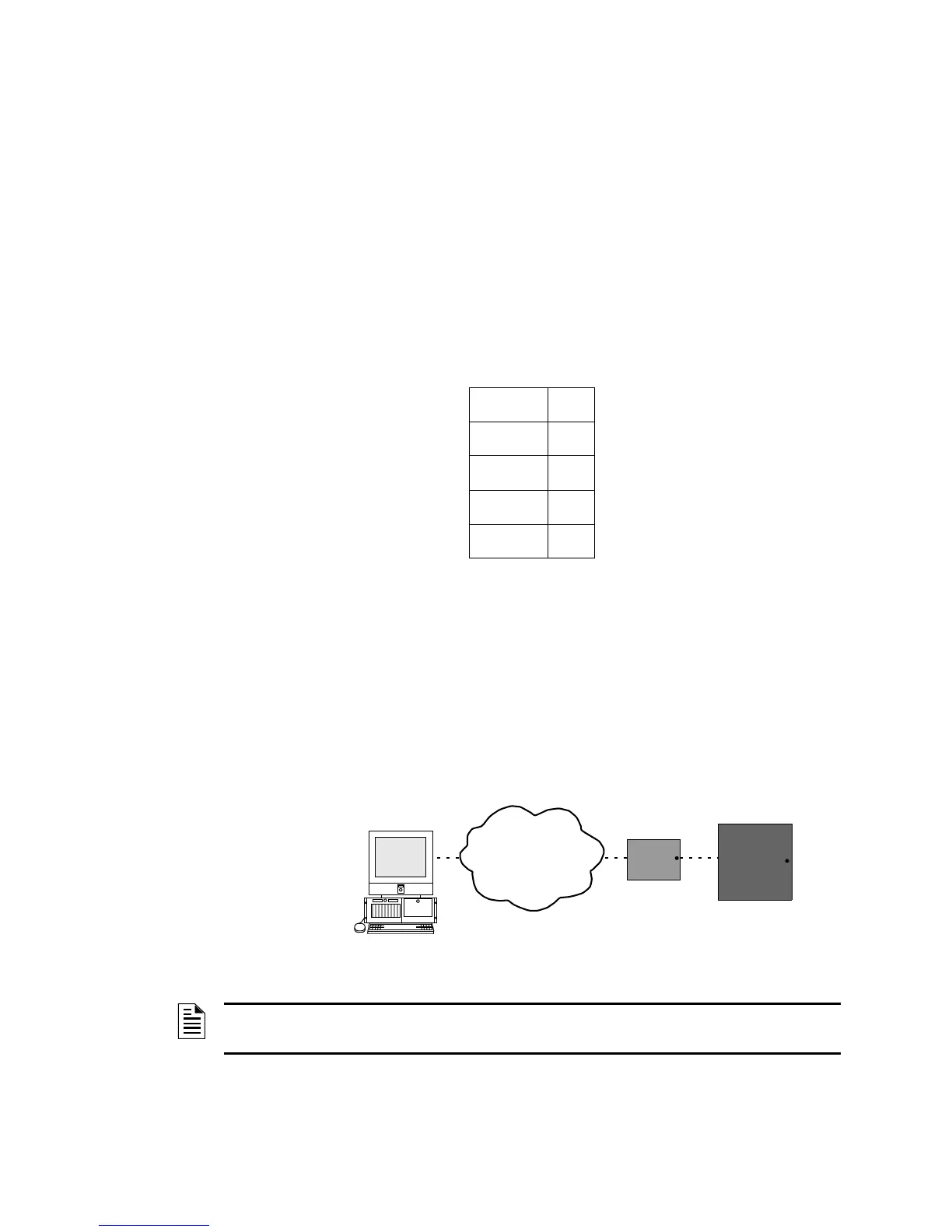
Figure 1.1 Basic FPT Gateway Network - Gamewell/FCI
Table 1.1 FPT Gateway Compatibility
IF602 7100
IF610 7200
IF632 E3
IF654
IF658
Workstation
Gateway
Gamewell/FCI
Panel
Ethernet (TCP/IP)
Network
NOTE: Turn on the remote annunciator supervision when connecting the gateway to any of the
stand-alone Gamewell panels.



 To Next Page