FPT Gateway Configuration FPT Gateway Configuration Procedure
24 FocalPoint™ Gateway Installation & Operation Manual - P/N: 52649:Rev: B3 2/11/10
3.2 FPT Gateway Configuration Procedure
3.2.1 IP Address Setting
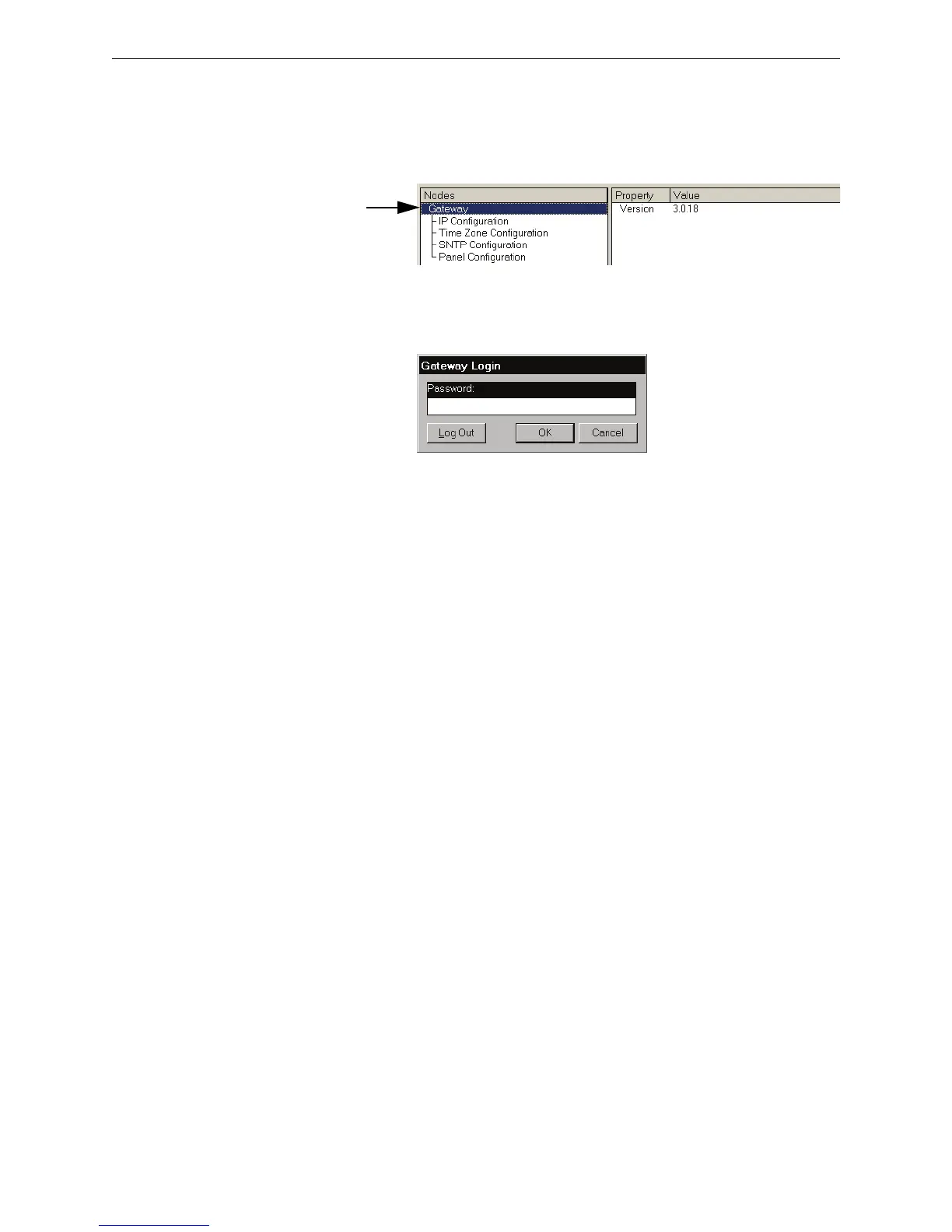
Step 1. Select the highest level entry in the Nodes list column hierarchy.
Figure 3.1 Gateway Node Selection
Step 2. Select File >Login to gain editing control of the selected gateway. The Gateway Login
window displays.
Figure 3.2 Gateway Login Window
Step 3. Type in the gateway password and then click the OK button. The default password is
44444444 (eight fours). The Property fields now display an asterisk next to the fields that
can be edited.



 To Next Page