39FocalPoint™ Gateway Installation & Operation Manual - P/N: 52649:Rev: B3 2/11/10
Section 5 FocalPoint Gateway Config Tool Reference
Information
5.1 About the FocalPoint Gateway Config Tool
The FocalPoint Gateway Config Tool interface is used to display configuration information about
FocalPoint network and the FocalPoint™ Gateway.
The FocalPoint Gateway Config Tool uses an Windows Explorer-style collapsible/expandable
Nodes list. The PROPERTY/VALUE columns display information about the selection made in the
Nodes list Property fields that are preceded with an asterisk mean the Value adjacent to it can be
modified in some way.
5.2 Field Descriptions
5.2.1 Gateway Field Description
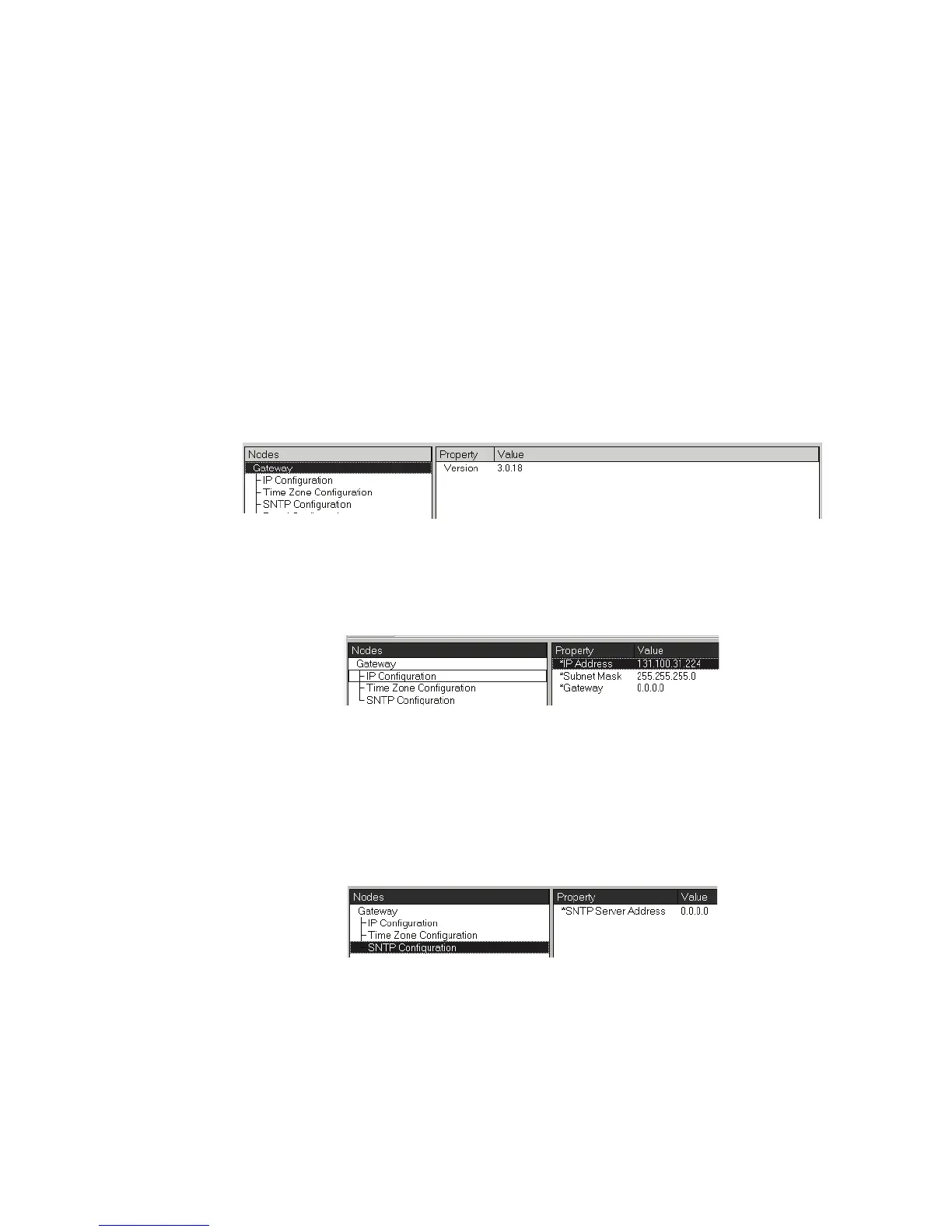
Figure 5.1 Version Description
• Version - Displays the gateway’s version.
5.2.2 IP Configuration Fields
Figure 5.2 IP Configuration Property/Value Field Descriptions
• IP Address - Is used to set the IP address of the FocalPoint™ Gateway on your IP network.
• Subnet Mask - Is used to set the Subnet of your IP network.
• Gateway - Is used to set the IP address of the a Gamewell/FCI router on the system if one is
used.
5.2.3 SNTP Configuration Fields
Figure 5.3 SNTP Configuration Property/Value Field Description
SNPT Server Address - (Simple Network Time Protocol) Is used set the address of the SNPT
server. The FocalPoint™ Gateway retrieves the SNTP server’s GMT (Greenwich Mean Time).
Refer to the “Time Zone Configuration Fields” on page 40.



 To Next Page