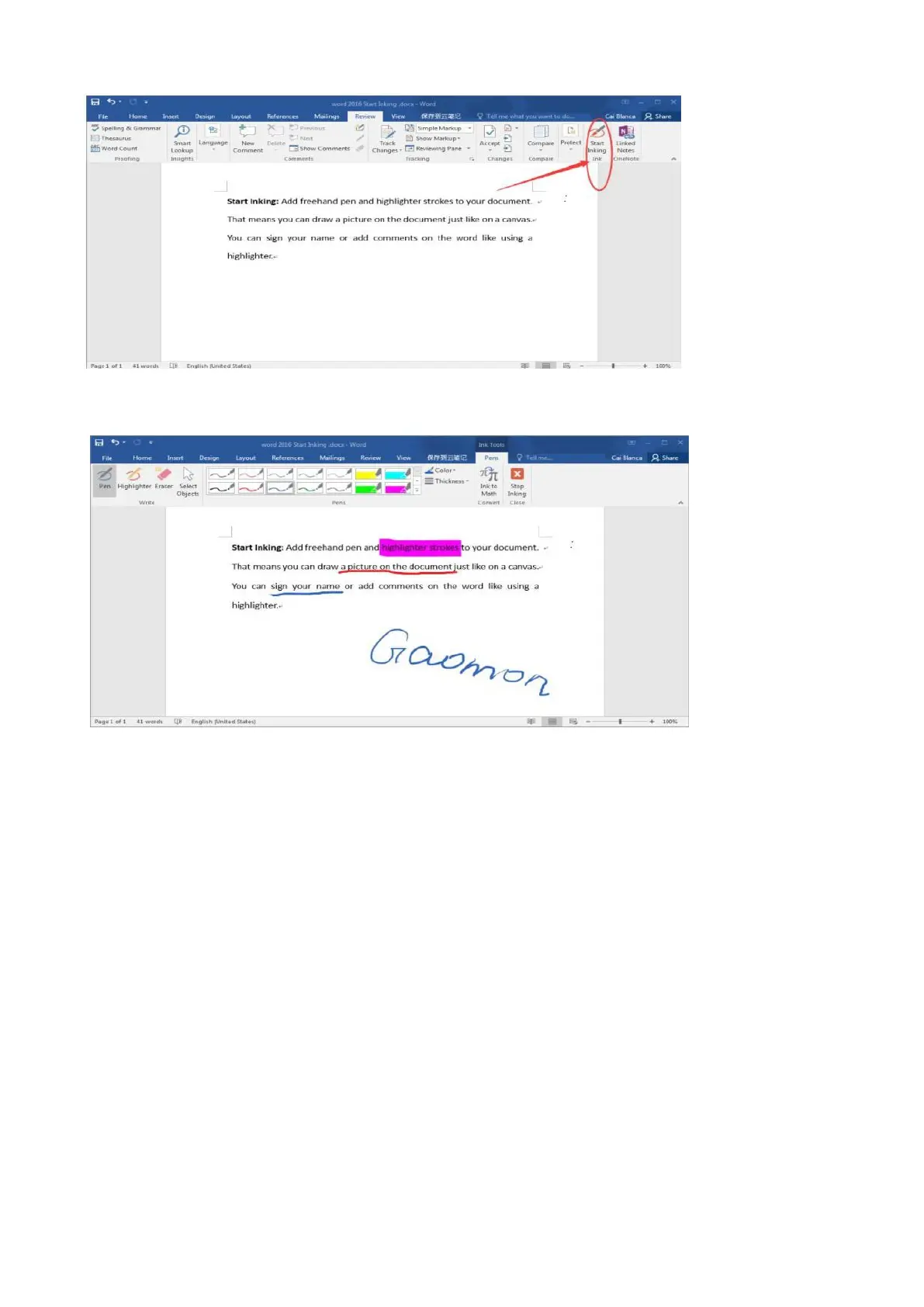
2) Click 'Review' and click 'Start Inking'.
3) Tips: The wide pen is a highlighter. The narrow pen is for drawing. Here are highlight and
underlines for your reference:
—————————————————————————————————————
5.2.2 In Excel.
1) After well connected PD1561 to computer, please open the Excel file.
2) Click 'Review' and click 'Start Inking', then we can draw on excel files with digital pen freely.
Note: All the drawing you have made will disappear (in fact, being hidden) if you clicked 'show ink’.
Re-click to make all of them appear.



 To Next Page