5.4 How to use Duplicate Mode & Extend Mode
Duplicate Mode: The PD1561 will display exact same with your computer monitor.
Extend Mode: The PD1561 will display wallpaper of your computer only. When you draw on PD1561, the
computer monitor can display separately.
5.4.1 Duplicate Mode
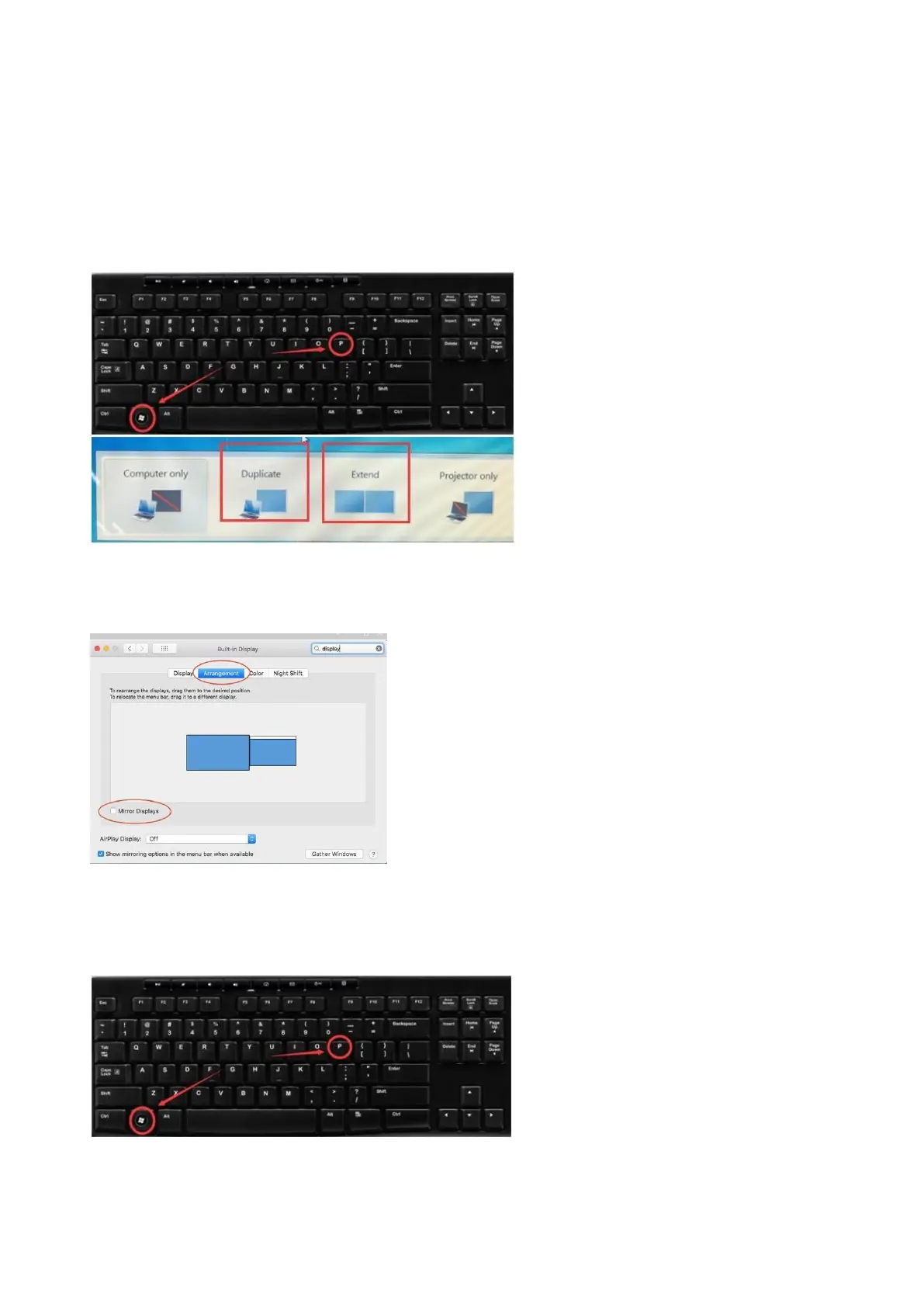
Duplicate on Windows:
Please press ‘’Windows+p’’ on keyboard, and make sure to choose Duplicate mode
Duplicate on Mac:
Set Mirror Mode: Click on the Apple icon in the top left corner,---“System preference”---choose
“Display’’--- Select the ‘’Mirror Display.’’
5.4.2 Extend Mode
Extend on Windows:
1.Please press ‘’Windows+p’’ on keyboard, and make sure to choose Extend mode


 To Next Page