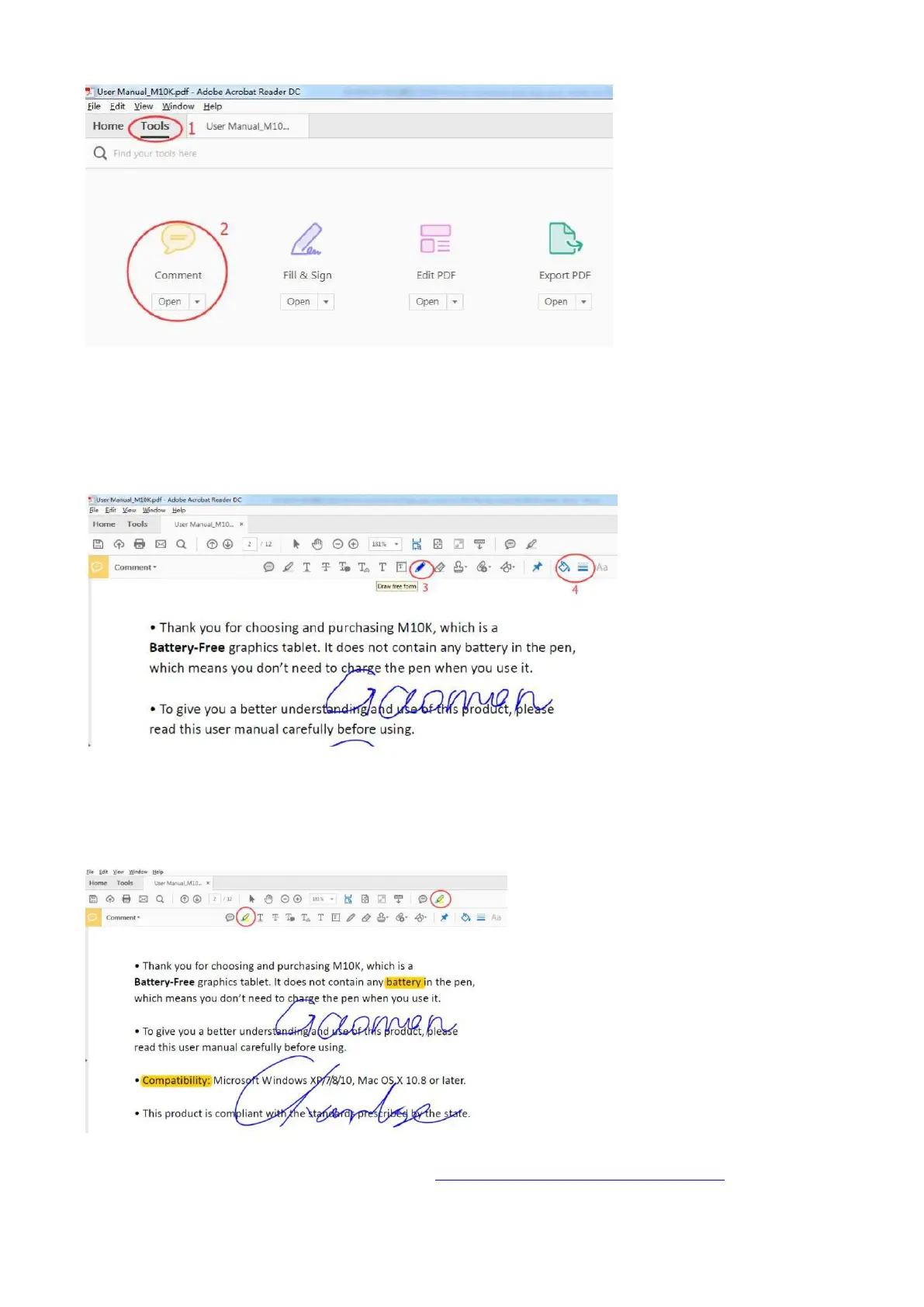
1) Click 'Tools' -- find 'Comment’, open it.
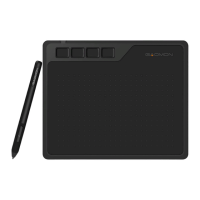
2) Click 'Draw free form' that marked as ‘3’ in below picture to draw.
3) We can select a color and line thickness from the icon that marked as '4'
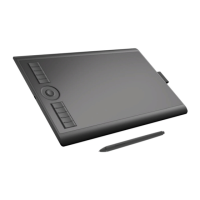
4) Click the pen inside the red circle to highlight the content.
If still no luck, please feel free to contact us. We're always here for you. You can submit your issue
from here: ► 【 GAOMON SUPPORT TEAM: https://www.gaomon.net/after-sales/】.
—————————————————————————————————————



 To Next Page