2.2
How to setup on Mac OS?
1).
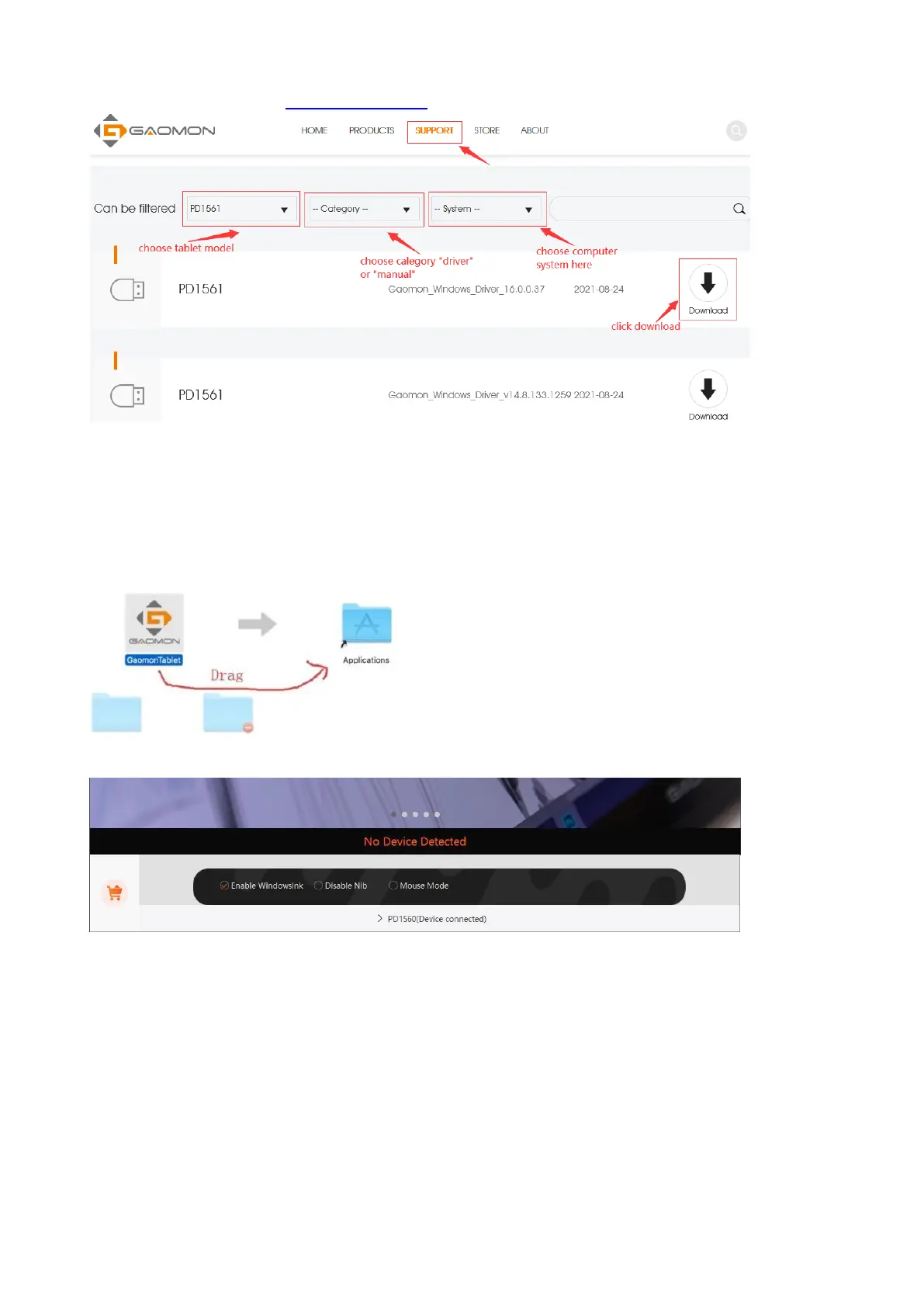
Download driver here: https://gaomon.net/
-- Click the installation package ----Drag 'GaomonTablet ' icon upon 'Applications' and hold on for a
while until it enters in 'Applications' folder---- Double click 'GaomonTablet' and select 'Open' to run
the driver. Now the GAOMON Driver is installed.
If your Mac OS version are mac 10.14, 10.15, Mac Big sur or above OS, please kindly remember to
give Gaomon Driver permission to normally function on your mac. If your Mac OS is lower than
Mac 10.14, please skip following part.
1)After installation, press one of the tablets express keys and it will pop out a box 'Accessibility
Access’. Then click 'Open System Preferences' to bring out 'Security & Privacy' box. Don’t click
“Deny”!



 To Next Page