Getting started
WARNING
See the Important Safety and Product Information guide in the product box for product warnings and other
important information.
• Update the maps and software on your device (Map and Software Updates, page 40).
• Mount the device in your vehicle and connect it to power (Mounting and powering the CamperVan device in
your vehicle, page 2).
• Acquire GPS signals (Acquiring GPS signals, page 3).
• Adjust the volume (Adjusting the volume, page 3) and display brightness (Adjusting the screen brightness,
page 4).
• Navigate to your destination (Starting a route, page 13).
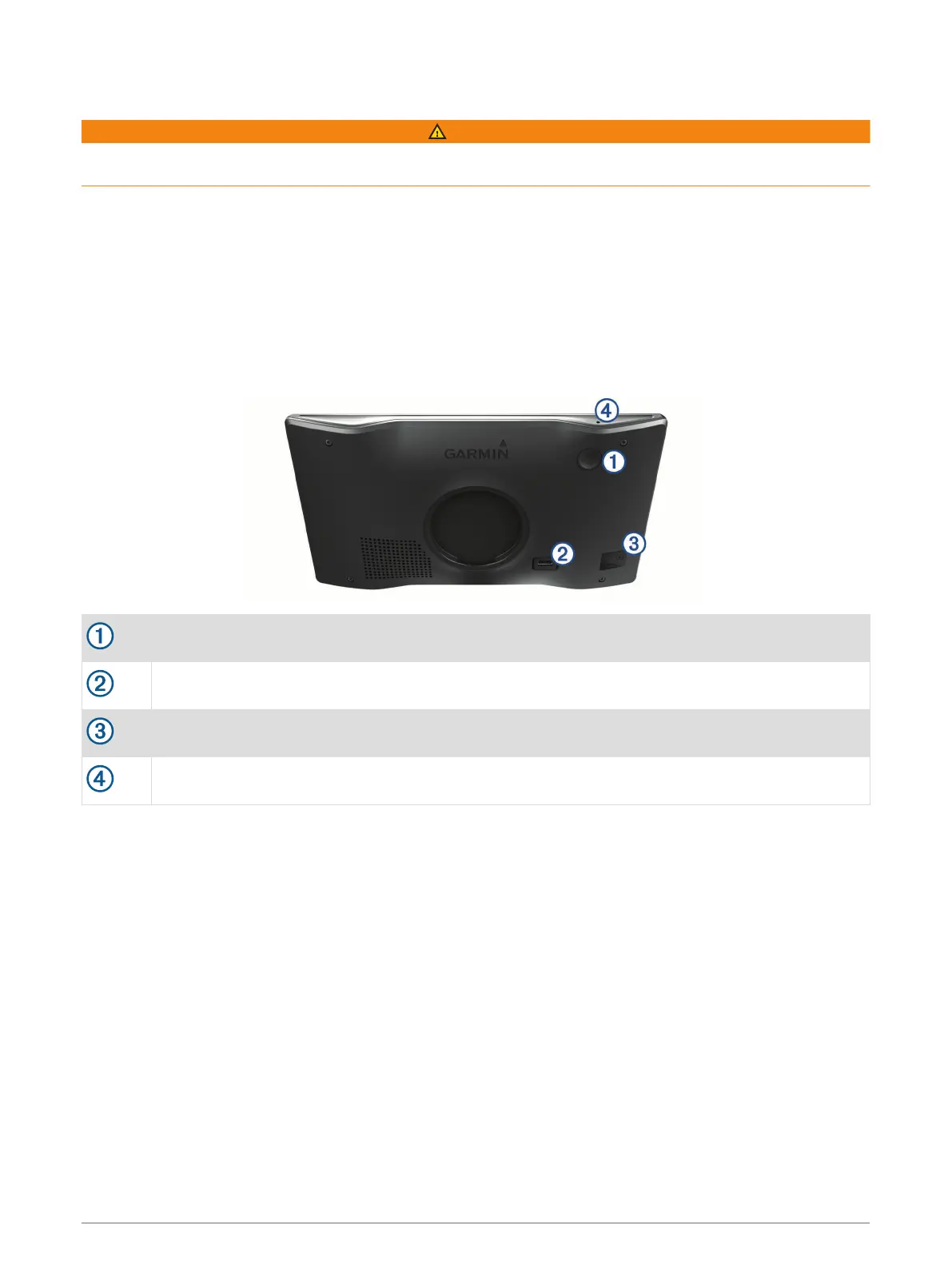
CamperVan device overview
power key
USB power and data port
Map and data memory card slot
Microphone for voice command or hands-free calling
Getting started 1






 To Next Page