Turning On and Off Smartphone Connection Alerts
You can set the Forerunner device to alert you
when your paired smartphone connects and
disconnects using Bluetooth wireless
technology.
NOTE: Smartphone connection alerts are turned
off by default.
1 From the watch face, hold UP.
2 Select Settings > Phone > Alerts.
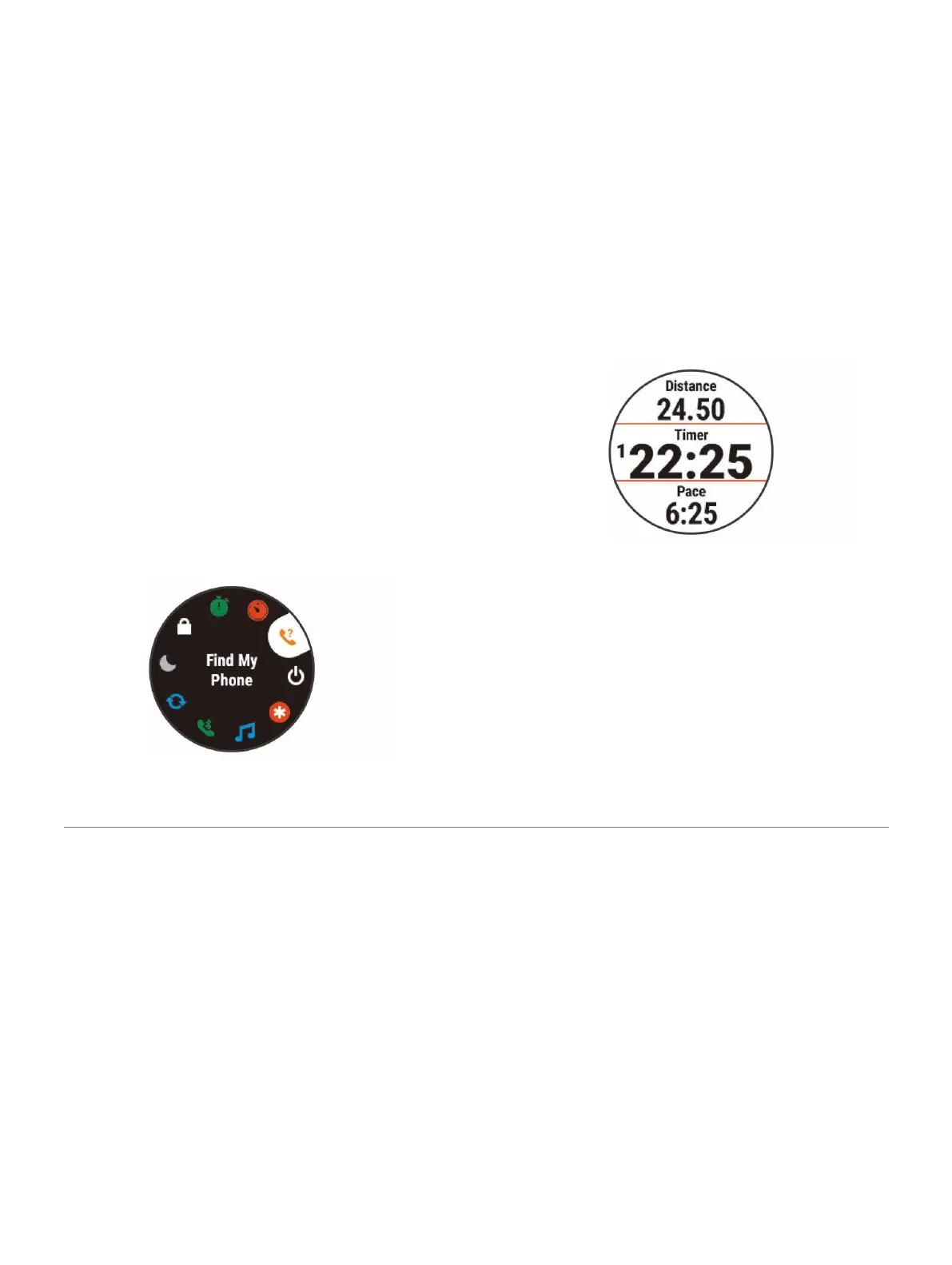
Viewing the Controls Menu
The controls menu contains options, such as
turning on do not disturb mode, locking the
keys, and turning the device off.
NOTE: You can add, reorder, and remove the
options
in the controls menu (
Customizing the
Controls Menu,
page 29
).
1 From any screen, hold LIGHT.
2 Select UP or DOWN to scroll through the options.
Going for a Run
The first fitness activity you record on your device can
be a run, ride, or any outdoor activity. You may need
to charge the device before starting the activity
(
Charging the Device, page 34
).
1 Select START, and select an activity.
2 Go outside, and wait while the device
locates satellites.
3 Select START to start the timer.
4 Go for a run.
NOTE: On a Forerunner 245 Music, hold
DOWN while in an activity to open the music
controls (
Music Playback Controls, page 24
).
5 After you complete your run, select STOP to
stop the timer.
6 Select an option:
2 Introduction















 To Next Page