Introduction
WARNING
See the
Important Safety and Product Information
guide
in the product box for product warnings and other
important information.
Always consult your physician before you begin
or modify any exercise program.
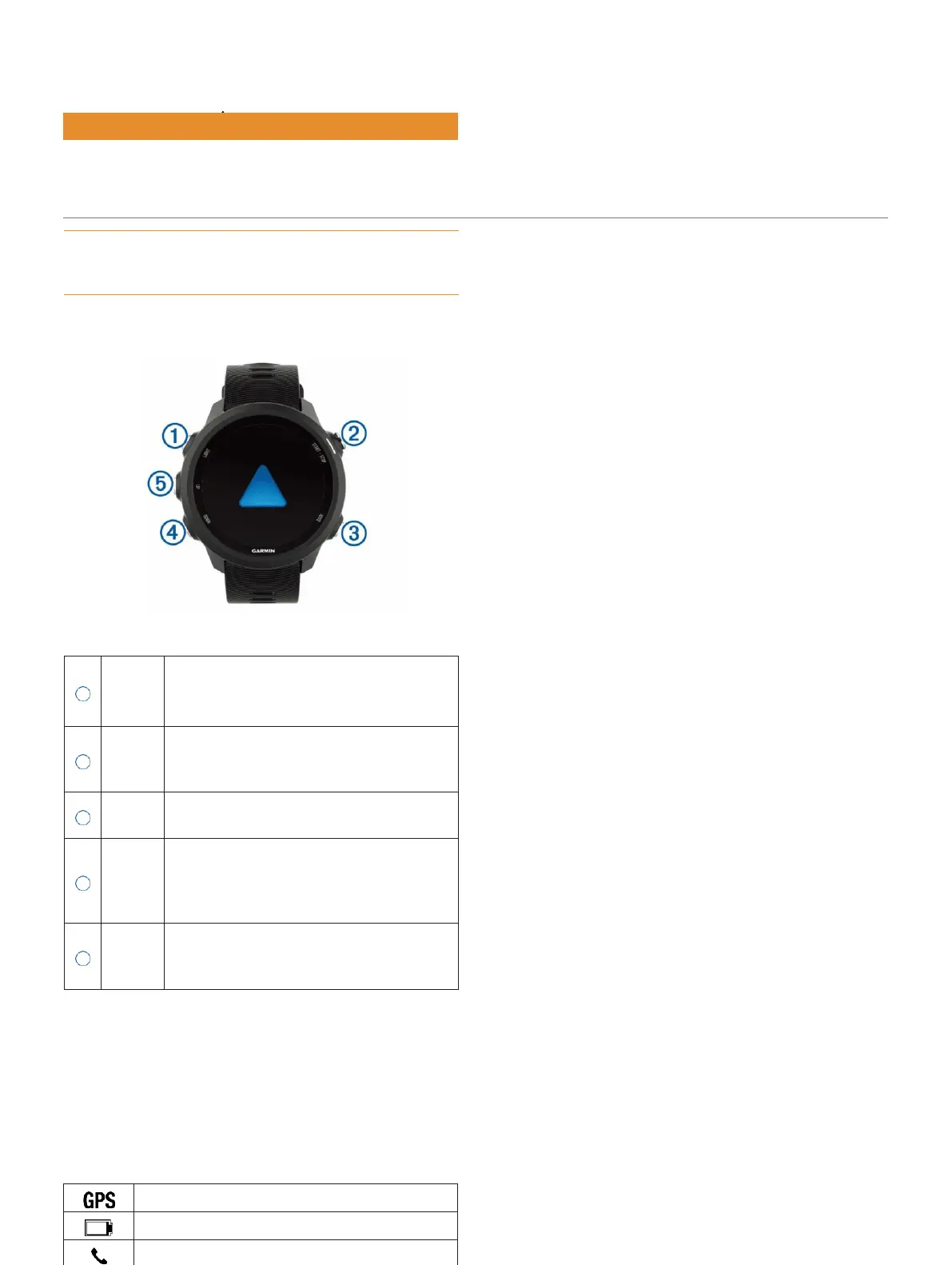
Keys
GPS Status and Status Icons
The GPS status ring and icons temporarily overlay each
data screen. For outdoor activities, the status ring turns
green when GPS is ready. A flashing icon means the
device is searching for a signal. A solid icon means the
signal was found or the sensor is connected.
GPS status
Battery status
Smartphone connection status Wi-
Fi
®
technology status
Heart rate status
Introduction
Select to turn the device on.
1 LIGHT Select to turn the backlight on and
off.
Hold to view the controls menu.
Select to start and stop the timer.
START
Select to choose an option or
to
acknowledge a message.
Select to return to the previous screen.
Select to record a lap during an
activity. Select to scroll through the
widgets, data screens, options, and
settings.
Hold to open the music controls (
Music
Playback Controls, page 24
).
Select to scroll through the
widgets,
UP
data screens, options, and
settings.
Hold to view the menu.















 To Next Page