GPSMAP
®
2008/2108 Owner’s Manual 3
ge T T i n g sT a r T e d
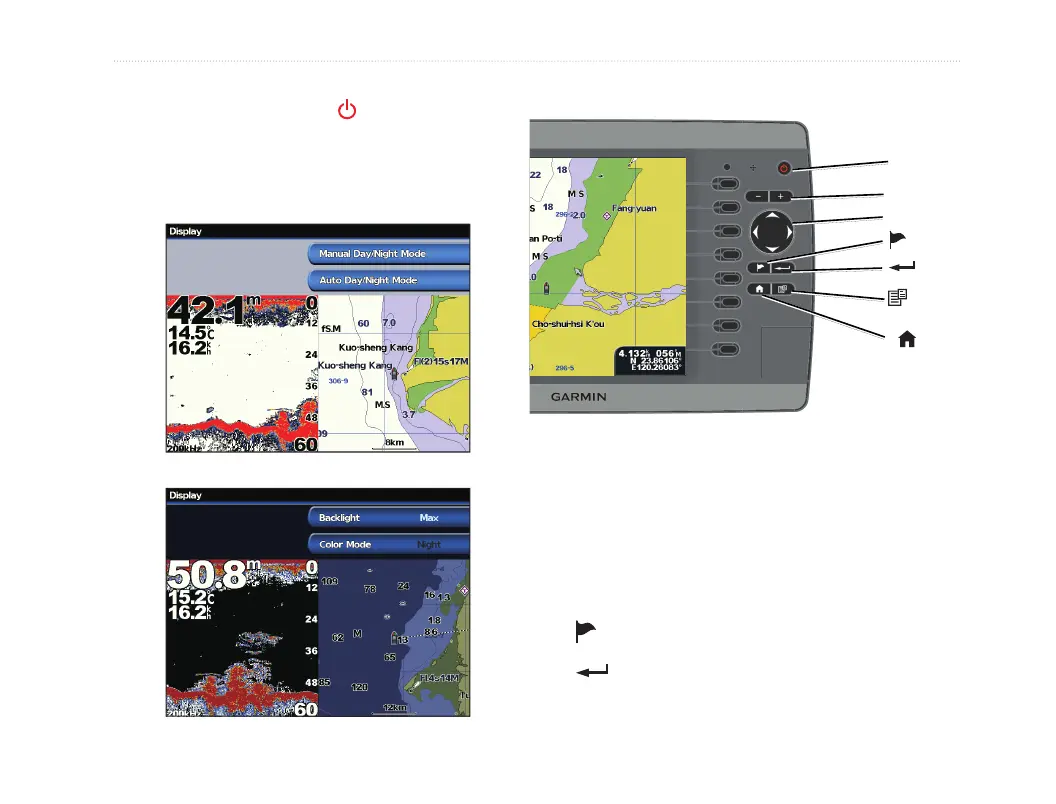
To switch between Day and Night mode:
1. Press and release the POWER key.
2. Select Manual Day/Night Mode.
3. Press left or right on the ROCKER to switch
between modes.
Using the Keypad
POWER/
BACKLIGHT
(MENU)
ROCKER
(SELECT)
(HOME)
RANGE (-/+)
(MARK)
POWER/BACKLIGHT—Press and hold to turn
the unit on or off; press and release to adjust the
backlight and day/night modes.
RANGE (-/+)—Press to adjust the range of the
sonar; zoom in or out on a chart.
ROCKER—Press up, down, left, or right to move
through menus, highlight elds, and enter data.
—Press to mark a waypoint.
—Press to select highlighted items and
con rm on-screen messages.













 To Next Page