GPSMAP
®
2008/2108 Owner’s Manual 5
ge T T i n g sT a r T e d
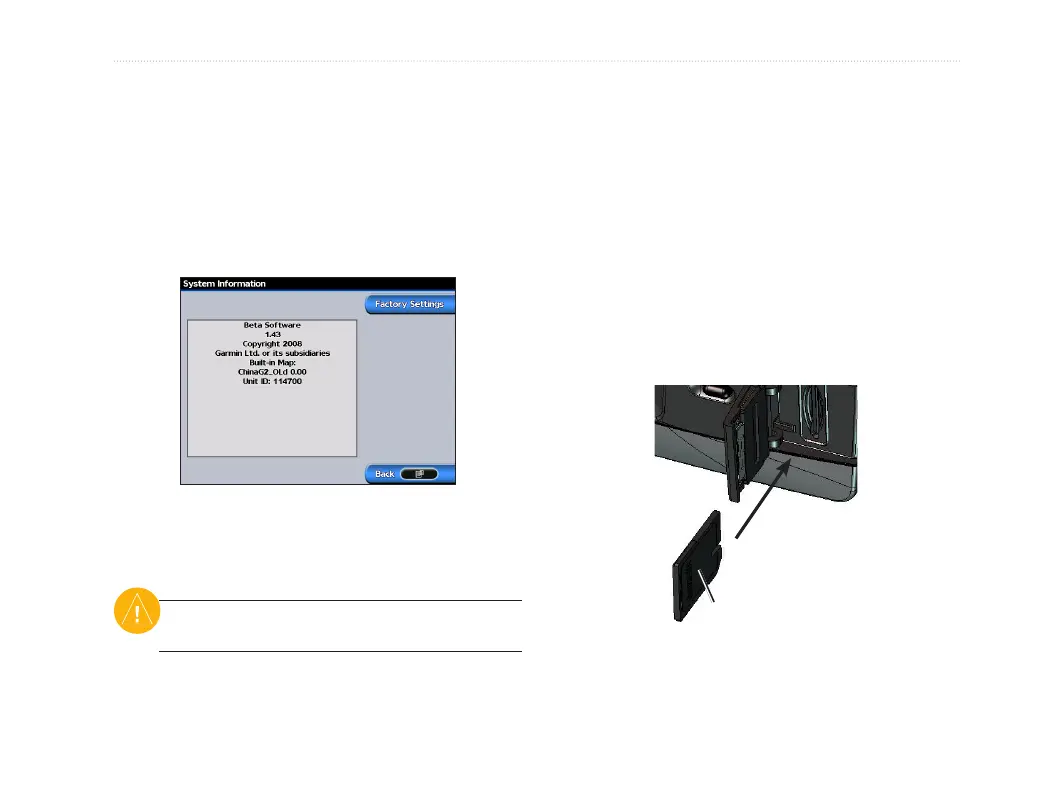
Viewing System Information
You can view your unit’s software version, basemap
version,andunitIDnumber.Youmayneedthis
information to update the system software or purchase
additional map data information.
From the Home screen, select Congure > System >
System Information.
Restoring Factory Settings
You can restore your unit to the original factory
settings.
CAUTION: This procedure deletes any information
you have entered.
To restore factory settings:
1. From the Home screen, select Congure > System
> System Information�
2. Select Factory Settings.
3. Select Yes to restore all factory settings. Otherwise,
select No to cancel.
Inserting and Removing SD Cards
YourunitsupportsSecureDigital(SD)cards.Insert
an optional BlueChart
®
g2
SDcardtoviewdefailed
bluechartandlandinformation.InsertblankSDcards
to transfer data such as waypoints, routes, and tracks to
anothercompatibleGarminunitoraPC.TheSDcard
slot is located on the bottom-right corner of the unit.
ToinserttheSDcard,pressitinuntilitclicks.
Card label
GPSMAP 2008/2108
ToremovetheSDcard,pressinontheSDcard.The
card pops out.













 To Next Page