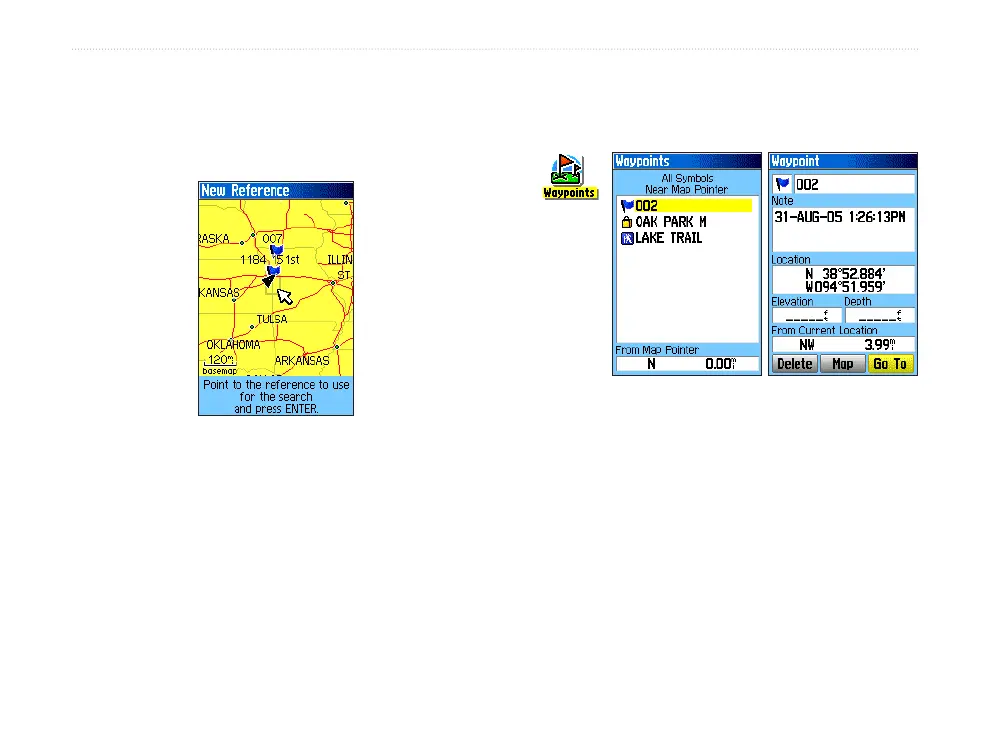
4. Use the ROCKER to pan the arrow (pointer) to
the map location you want, and press ENTER.
The Find list shows a list of items near the new
map location.
Finding a Waypoint
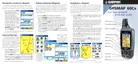
The Waypoints Page contains a list of all saved
waypoints. Waypoints are stored in alphanumeric
order and are also identied by a symbol assigned
from a list of symbol types.
To nd a waypoint:
1. Press FIND to open the Find Menu.
2. Highlight the Waypoints icon, and press
ENTER to open the Waypoints Page.
3. Use the
ROCKER to select a waypoint, and
press ENTER. The Waypoint Page opens.
Waypoints
icon
Finding a Geocache
Use the Geocache icon to view the list of geocache
locations created using your GPSMAP 60Cx or
downloaded from your computer. A geocache location
is a waypoint with a special geocache symbol
assigned to give special signicance and to allow it to
be separated from others on the waypoints list.
For more information about creating a geocache
point, see Geocache Setup instructions on page 61 and
http://www8.garmin.com/outdoor/geocaching/.
20 GPSMAP 60Cx Owner’s Manual
bAsIc oPerAtIon > fIndIng A wAyPoInt















 To Next Page