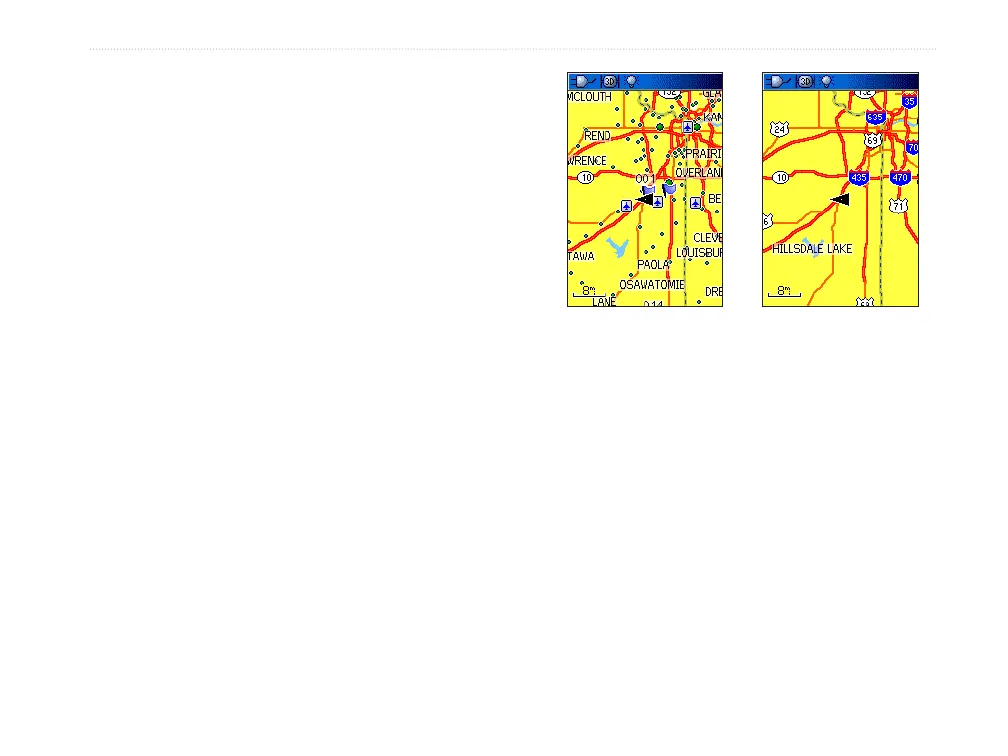
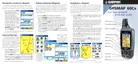
Turning Declutter On or Off
You can remove unwanted items from the Map Page
display (declutter the display), such as map item titles
and icons. This is useful when the map is zoomed to a
scale that is partially obscured by titles and icons that
remain the same size regardless of the map scale.
To turn declutter on or off:
1. Press MENU to open the Map Page Options
menu.
2. Highlight Turn Declutter On, and press
ENTER.
OR
To turn Declutter off, press MENU, select Turn
Declutter Off, and press ENTER
Map with declutter off Map with declutter on
Restoring Defaults
Use the Restore Defaults option to return the map
settings to factory settings.
GPSMAP 60Cx Owner’s Manual 47
MAIn PAges > MAP PAge















 To Next Page