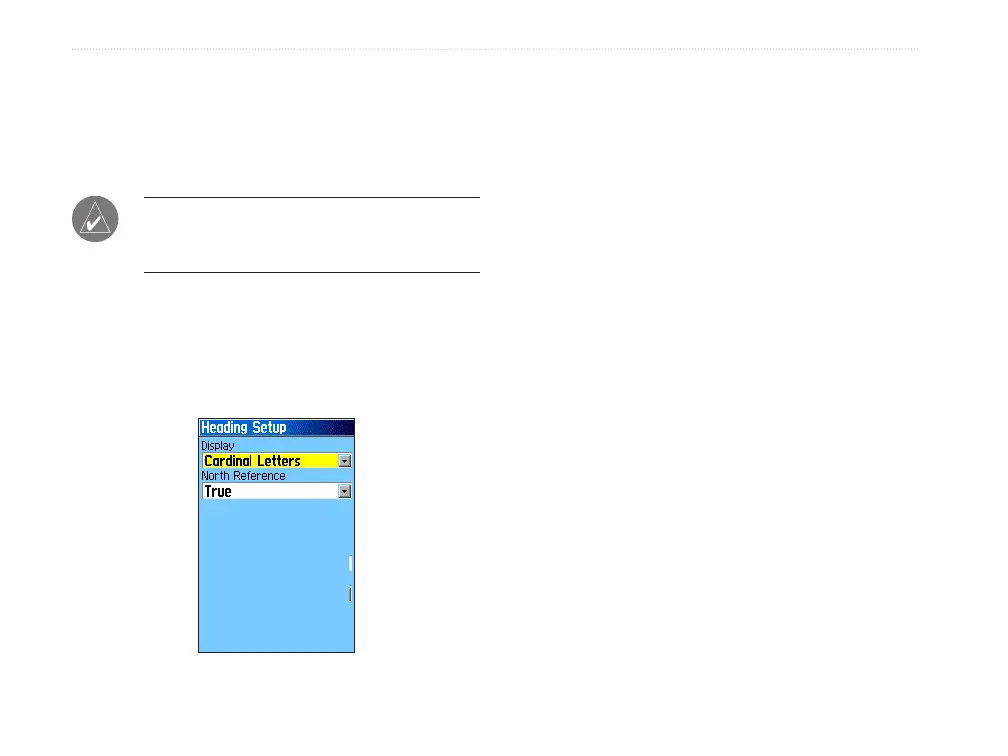
Heading Setup
Use the Heading Setup Page to specify the type of
heading display and the type of North reference used
to calculate your heading.
NOTE: Unless you have a working knowledge
of headings and North referencing, it is
recommended that you use the default values.
To access the Heading Setup Page:
On the Setup Menu Page, highlight the
Heading icon, and press ENTER.
• Display—selects the style (cardinal letters,
degrees, or mils) to indicate your heading.
• North Reference—provides headings based
on a true north reference. Offers more options
when a choice other than True is selected.
64 GPSMAP 60Cx Owner’s Manual
MAIn Menu > setuP Menu















 To Next Page