• Lock On Road—you can lock the map pointer
to show on the nearest road, compensating for
variances in map position accuracy.
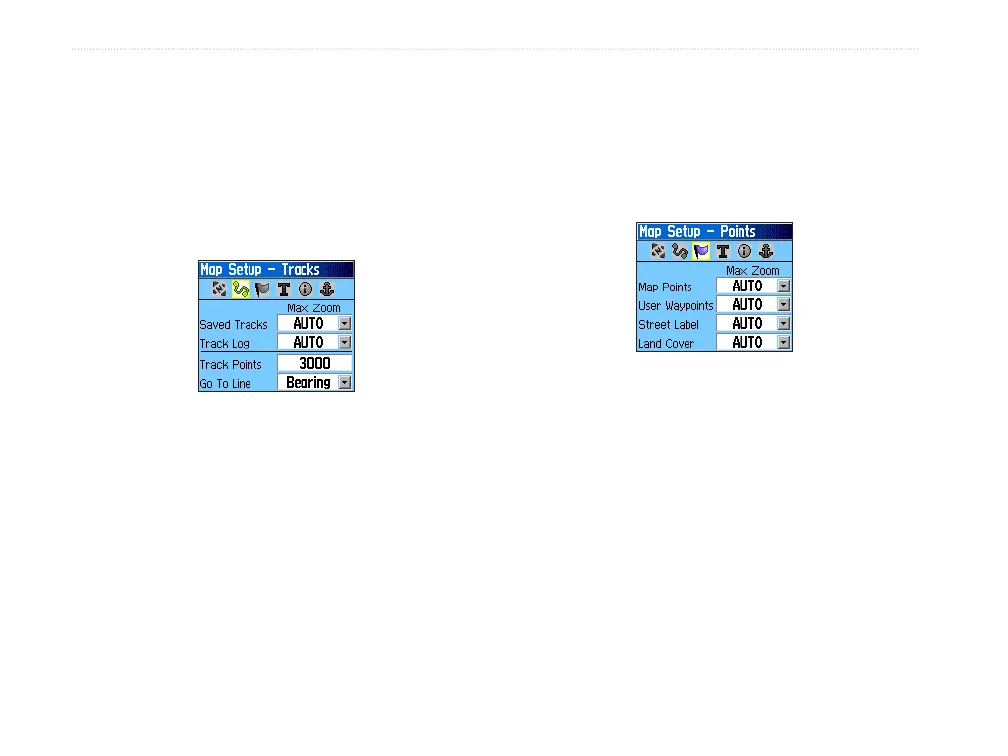
Map Setup – Tracks Page
The Tracks Page contains settings for Saved Tracks,
Track Log, Track Points, and the Go To Line.
Map Setup – Tracks Page
• Saved Tracks—sets the maximum zoom range
at which saved tracks are shown on the map.
• Track Log
—sets the maximum zoom range at
which active track logs are shown.
• Track Points
—sets the maximum number of
track points used to record a track.
• Go To Line
—selects either a bearing or course
line for navigating a track.
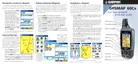
Map Setup – Points Page
Use the Points Page to set the map scale at which
Map Points, User Waypoints, Street Label, and Land
Cover appear on the Map Page. Select Auto, Off, or a
specic Zoom Level.
Map Setup – Points Page
44 GPSMAP 60Cx Owner’s Manual
MAIn PAges > MAP PAge















 To Next Page