Garmin GPSMAP 695/696 Owner’s Manual
190-00919-00 Rev. D
93
Hazard Avoidance
Overview GPS Navigation Flight Planning Hazard Avoidance Additional Features Appendices Index
SECTION 4 HAZARD AVOIDANCE
4.1 XM WEATHER (GPSMAP 696)
NOTE:
XM Satellite Weather is only available with the GPSMAP 696.
ACTIVATING SERVICES
Before XM Satellite Weather can be used, the service must be activated. Service
isactivatedbyprovidingXMSatelliteRadiowithaRadioIDuniquetotheGXM40
antenna.
XM Satellite Radio uses the Radio ID to send an activation signal that allows the
GPSMAP 696 to display weather data and/or entertainment programming provided
through the GXM 40 antenna.
Refer to the GXM 40 Owner’s Manual for more information on activating XM
Satellite Radio.
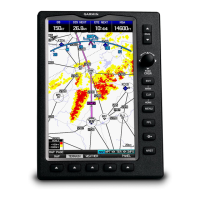
XM WEATHER INFORMATION
•RadioID—Eight-digitIDnumberusedforactivation.
•ServiceLevel—XMWeathersubscriptionplanpurchased.
•Weather Products—List of weather features and age of weather data in
minutes.
Accessing XM Weather information:
From the XM Audio Page press the INFO Softkey.
Or
:
1)
From the WX Page press the MENU Key to display the WX Page Menu.
2)
Turn or move the FMS Joystick to highlight ‘WEATHER PRODUCTS’ and
press the ENT Key.



 To Next Page