Garmin GPSMAP 695/696 Owner’s Manual
190-00919-00 Rev. D
36
GPS Navigation
OverviewGPS NavigationFlight PlanningHazard AvoidanceAdditional FeaturesAppendicesIndex
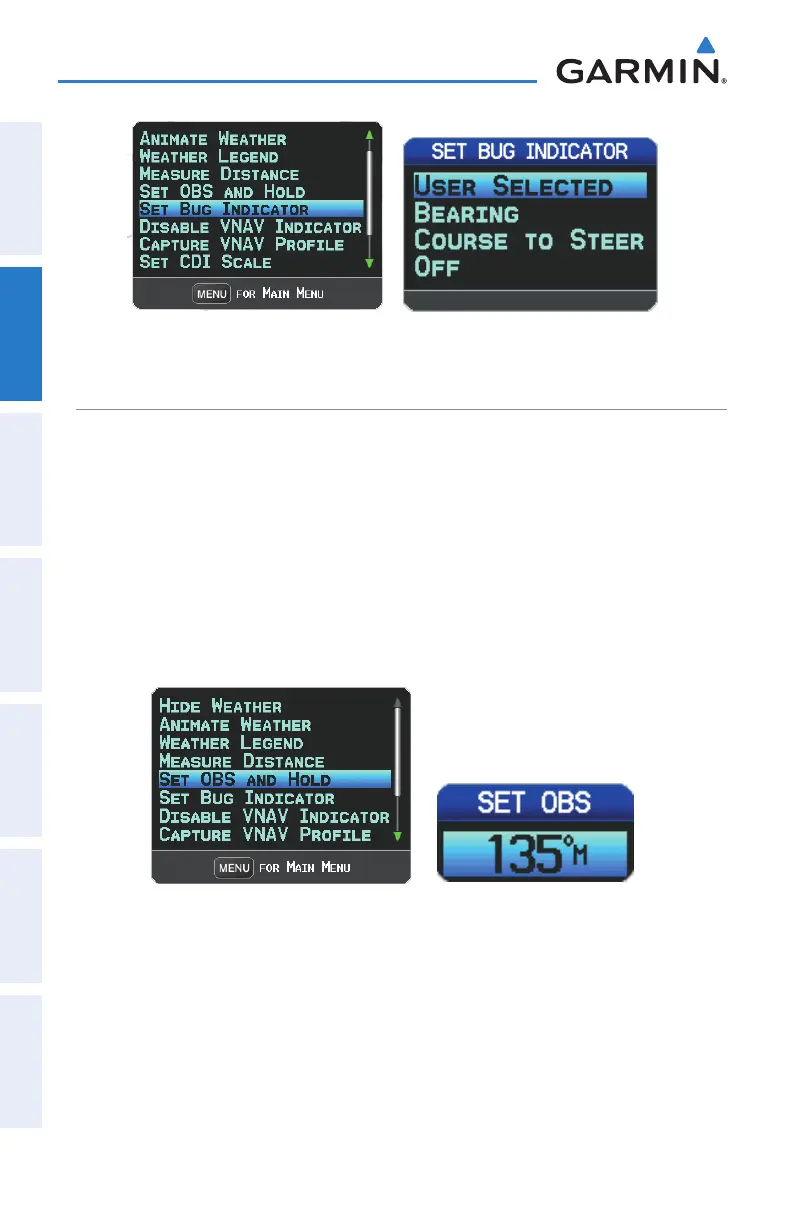
Map Page Menu Set Bug Indicator Menu
MANUALLY SETTING A COURSE
Use the ‘Set OBS and Hold’ option to manually set your course to the destination.
Manually setting a course to the destination waypoint:
1)
From the Map Page with the Panel, HSI, or Compass Arc displayed, press
MENU Key to display the Map Page Menu
2)
Turn or move the FMS Joystick to highlight ‘Set OBS and Hold’, and press
the ENT Key.
3)
Turn the FMS Joystick to select the desired course to the destination, and
press the ENT Key.
Map Page Menu Set OBS Window
Returning to automatic sequencing of route waypoints:
1)
From the Map Page after manually setting a course, press MENU Key to
display the Map Page Menu
2)
Turn or move the FMS Joystick to highlight ‘Release Hold’, and press the
ENT Key.















 To Next Page