Garmin GPSMAP 695/696 Owner’s Manual
190-00919-00 Rev. D
131
Additional Features
Overview GPS Navigation Flight Planning Hazard Avoidance Additional Features Appendices Index
USING FAVORITES
Favorites is a customized category of up to 30 of your XM Radio favorites.
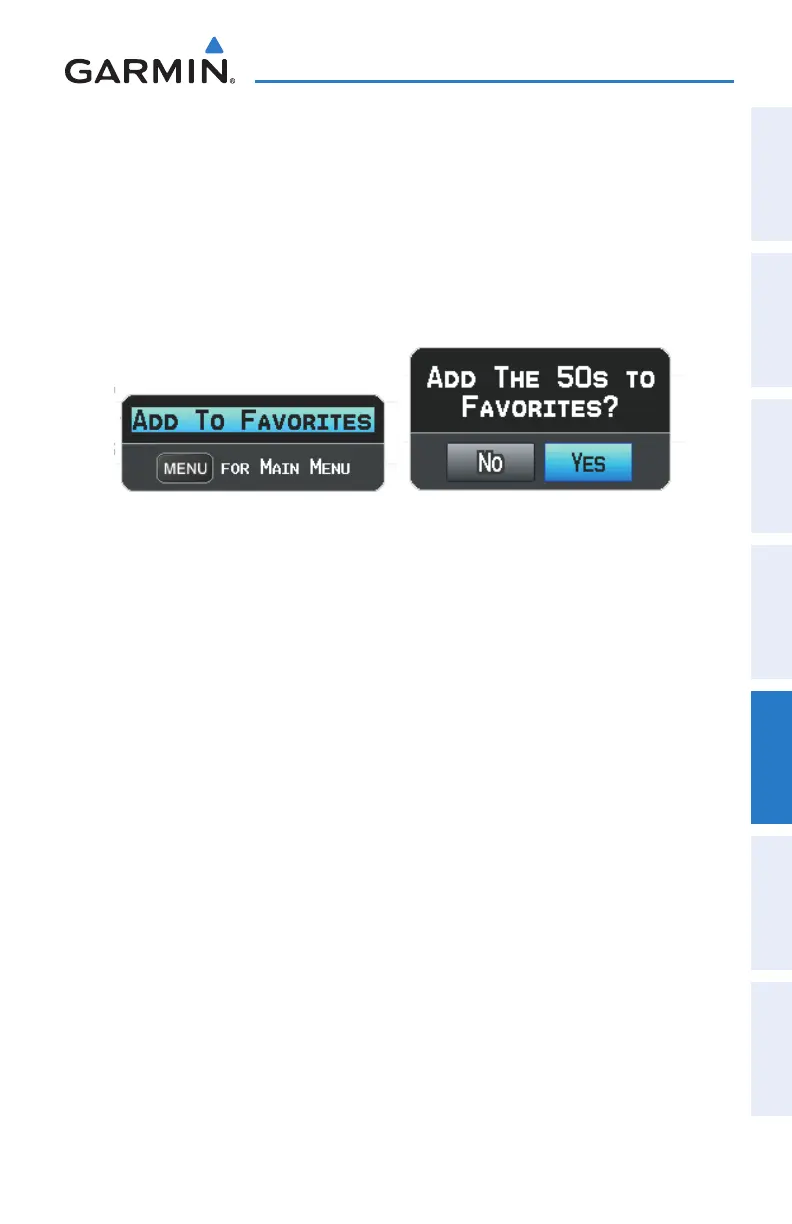
To add a channel to Favorites:
1)
With the favorites channel selected, press the MENU Key.
2)
With ‘Add To Favorites’ selected, press the ENT Key.
3)
With ‘Yes’ selected, press the ENT Key.
Adding a Channel to Favorites
Selecting Favorites:
1)
Select the FAVORITE Softkey on the XM Audio Page. The Favorites
category is displayed.
2)
Press the FMS Joystick to activate the cursor.
3)
Move the FMS Joystick to select the desired channel and press the ENT
Key.
Or
:
1)
Press the FMS Joystick to activate the cursor. Move the FMS Joystick to
highlight the Category Field (if necessary).
2)
Turn the FMS Joystick to highlight the Favorites category.
3)
Move the FMS Joystick to select the desired channel and press the ENT
Key.
To delete a channel from Favorites:
1)
With the Favorites channel selected, press the MENU Key.
2)
With ‘Delete Favorite’ selected, press the ENT Key.
Or
:
Highlight ‘Delete All Favorites’ to delete all channels from your Favorites list.















 To Next Page