Garmin GPSMAP 695/696 Owner’s Manual
190-00919-00 Rev. D
Appendix F
164
OverviewGPS NavigationFlight PlanningHazard AvoidanceAdditional FeaturesAppendicesIndex
5)
Move the FMS Joystick to highlight ‘Save’ and press the ENT Key.
Editing a track log:
1)
Press the MENU Key twice.
2)
Turn or move the FMS Joystick to select ‘Track Log’ from the Main Menu,
and press the ENT Key.
3)
Move the FMS Joystick to highlight the desired saved track, and press the
ENT Key.
4)
Move the FMS Joystick to highlight the desired field.
5)
Turn the FMS Joystick to make the desired changes.
6)
With ‘Done’ selected, press the ENT Key.
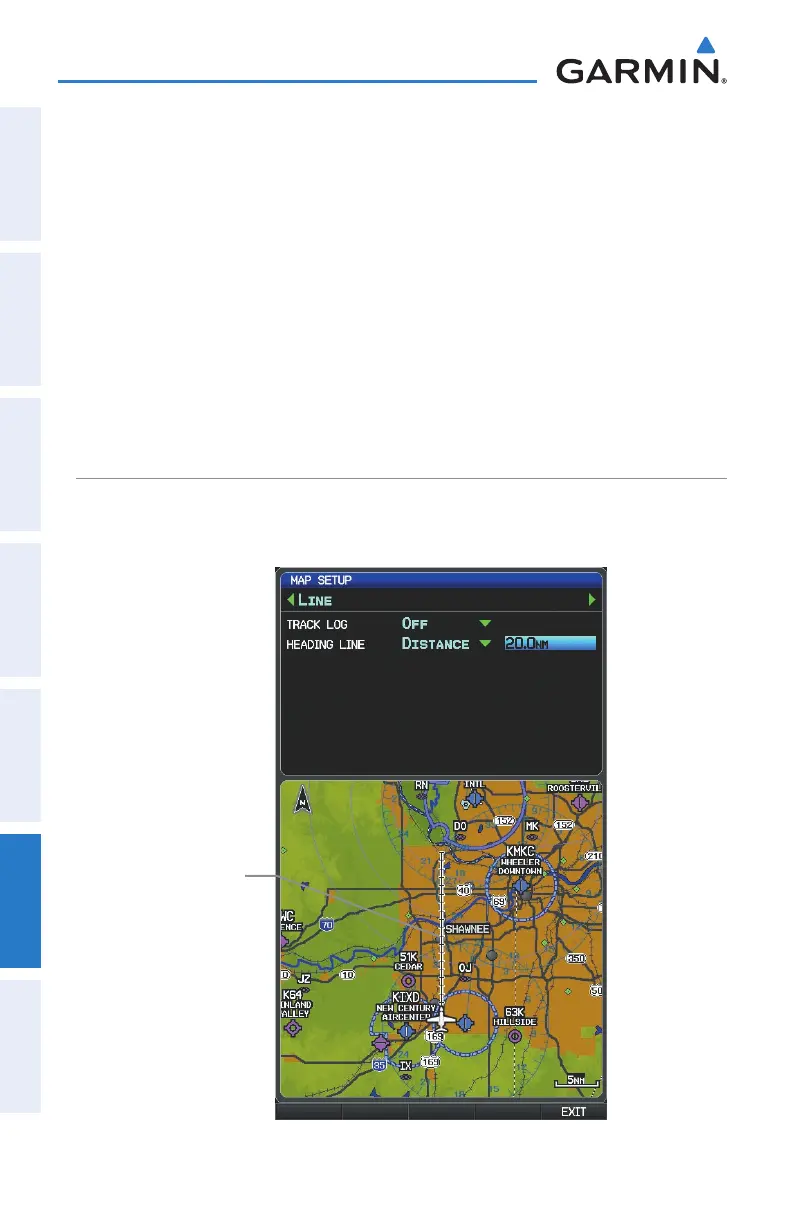
HEADING LINE
The GPSMAP 695/696 draws an electronic “heading line” on the Map Page. The
heading line can be set to time or distance.
Heading Line (Map Setup Page Menu)
Heading
Line















 To Next Page