190-02692-00 Rev. A
Garmin G1000 Pilot’s Guide for the Piper PA-32 Saratoga
131
AUDIO PANEL AND CNS
SYSTEM
OVERVIEW
FLIGHT
INSTRUMENTS
EIS
AUDIO PANEL
& CNS
FLIGHT
MANAGEMENT
HAZARD
AVOIDANCE
AFCS
ADDITIONAL
FEATURES
APPENDICES INDEX
VFR CODE
The VFR code can be entered either manually or by pressing the
XPDR
Softkey, then the
VFR
Softkey.
When the
VFR
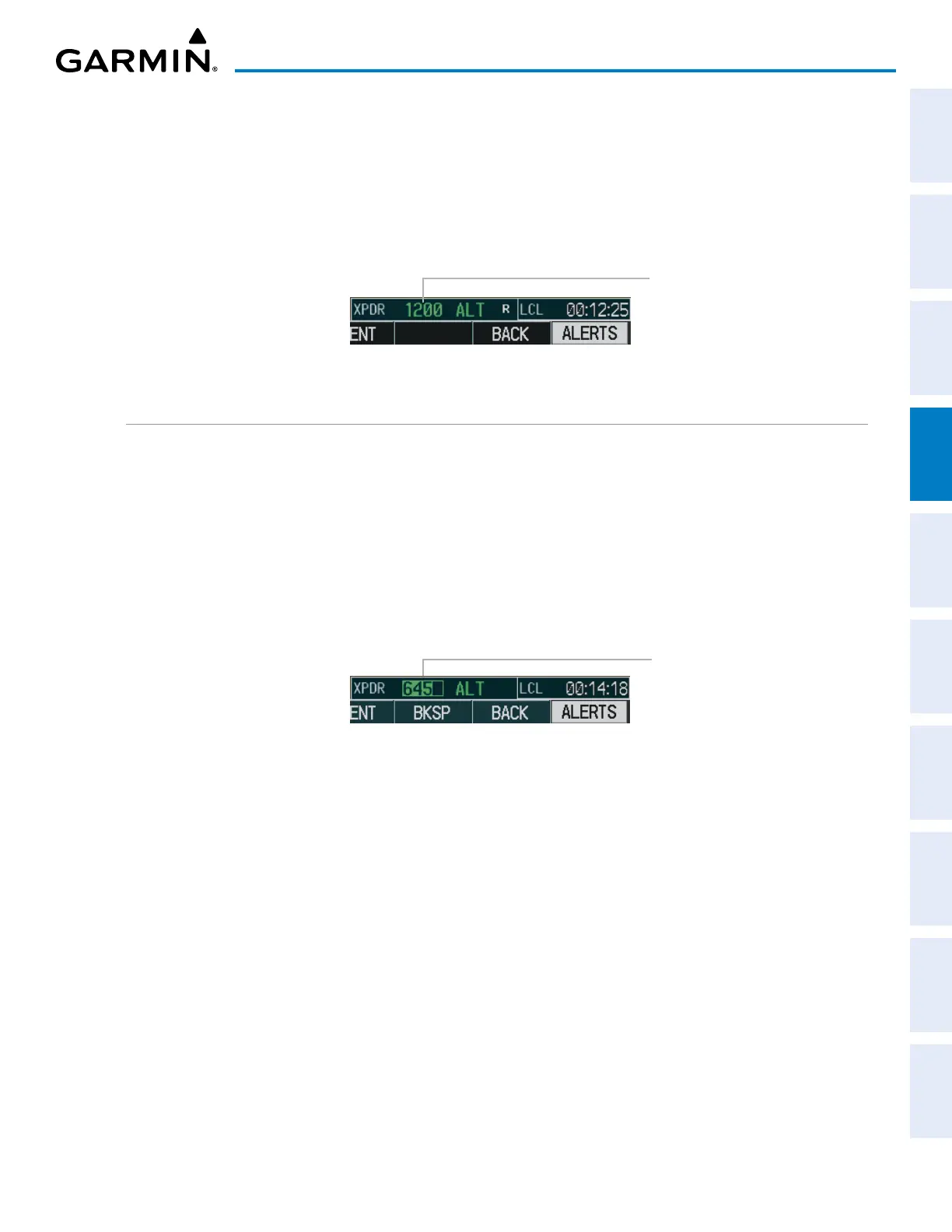
Softkey is pressed, the pre-programmed VFR code is automatically displayed in the code field
of the Transponder Data Box. Pressing the
VFR
Softkey again restores the previous identification code.
The pre-programmed VFR Code is set at the factory to 1200. If a VFR code change is required, contact a
Garmin-authorized service center for configuration.
Figure 4-37 VFR Code
VFR Code
ENTERING A TRANSPONDER CODE
Entering a transponder code with softkeys:
1) Press the
XPDR
Softkey to display the Transponder Mode Selection Softkeys.
2) Press the
CODE
Softkey to display the Transponder Code Selection Softkeys, for digit entry.
3) Press the digit softkeys to enter the code in the code field. When entering the code, the next softkey in sequence
must be pressed within 10 seconds, or the entry is cancelled and restored to the previous code. Pressing the
BKSP Softkey moves the code selection cursor to the previous digit. Five seconds after the fourth digit has been
entered, the transponder code becomes active.
Entering a
Code
Figure 4-38 Entering a Code with Softkeys
Entering a transponder code with the PFD FMS Knob:
1) Press the
XPDR
and the
CODE
Softkeys as in the previous procedure to enable code entry.
2) Turn the small FMS Knob on the PFD to enter the first two code digits.
3) Turn the large FMS Knob to move the cursor to the next code field.
4) Enter the last two code digits with the small FMS Knob.
5) Press the
ENT
Key to complete code digit entry.
Pressing the CLR Key or small FMS Knob before code entry is complete cancels code entry and restores the
previous code. Waiting for 10 seconds after code entry is finished activates the code automatically.


 To Next Page