190-02692-00 Rev. A
Garmin G100 Pilot’s Guide for the Piper PA-32 Saratoga 79
FLIGHT INSTRUMENTS
SYSTEM
OVERVIEW
FLIGHT
INSTRUMENTS
EIS
AUDIO PANEL
& CNS
FLIGHT
MANAGEMENT
HAZARD
AVOIDANCE
AFCS
ADDITIONAL
FEATURES
APPENDICES INDEX
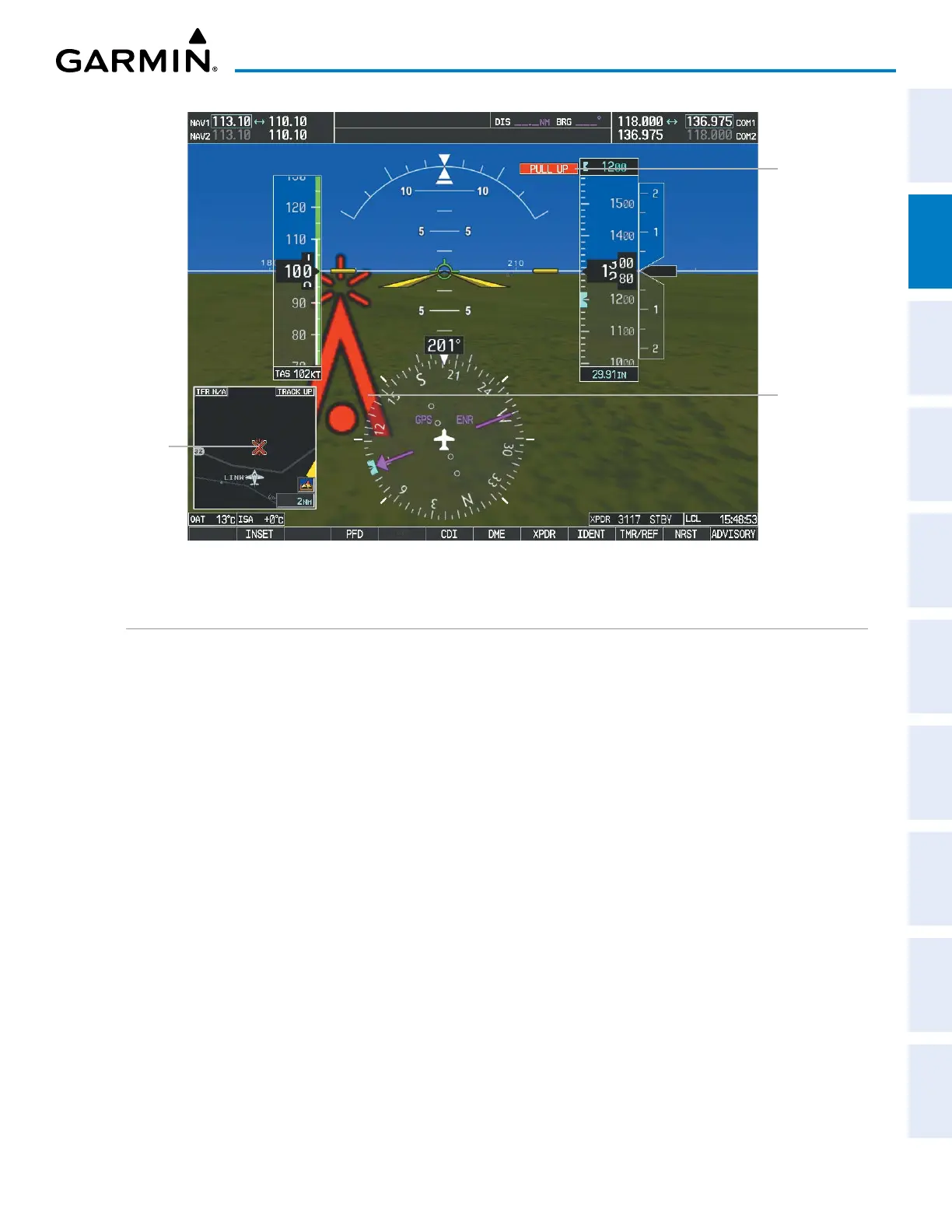
Figure 2-40 SVT Obstacle
Potential
Impact
Point
Obstacle
Warning
Obstacle
Annunciation
FIELD OF VIEW
The PFD Field of View can be represented on the MAP – NAVIGATION MAP Page. Two dashed lines, forming
a V-shape in front of the aircraft symbol on the map, represent the forward viewing area shown on the PFD.
Configuring Field of View:
1) While viewing the MAP – NAVIGATION MAP Page, press the MENU Key to display the PAGE MENU.
2) Turn the large
FMS
Knob to highlight ‘Map Setup’ and press the
ENT
Key.


 To Next Page