190-02692-00 Rev. A
Garmin G100 Pilot’s Guide for the Piper PA-32 Saratoga 65
FLIGHT INSTRUMENTS
SYSTEM
OVERVIEW
FLIGHT
INSTRUMENTS
EIS
AUDIO PANEL
& CNS
FLIGHT
MANAGEMENT
HAZARD
AVOIDANCE
AFCS
ADDITIONAL
FEATURES
APPENDICES INDEX
2.2 SUPPLEMENTAL FLIGHT DATA
NOTE: Pressing the DFLTS Softkey turns off metric altimeter overlay, the Inset Map and wind data display.
In addition to the flight instruments, the PFD also displays various supplemental information, including
temperatures, wind data, and Vertical Navigation (VNV) indications.
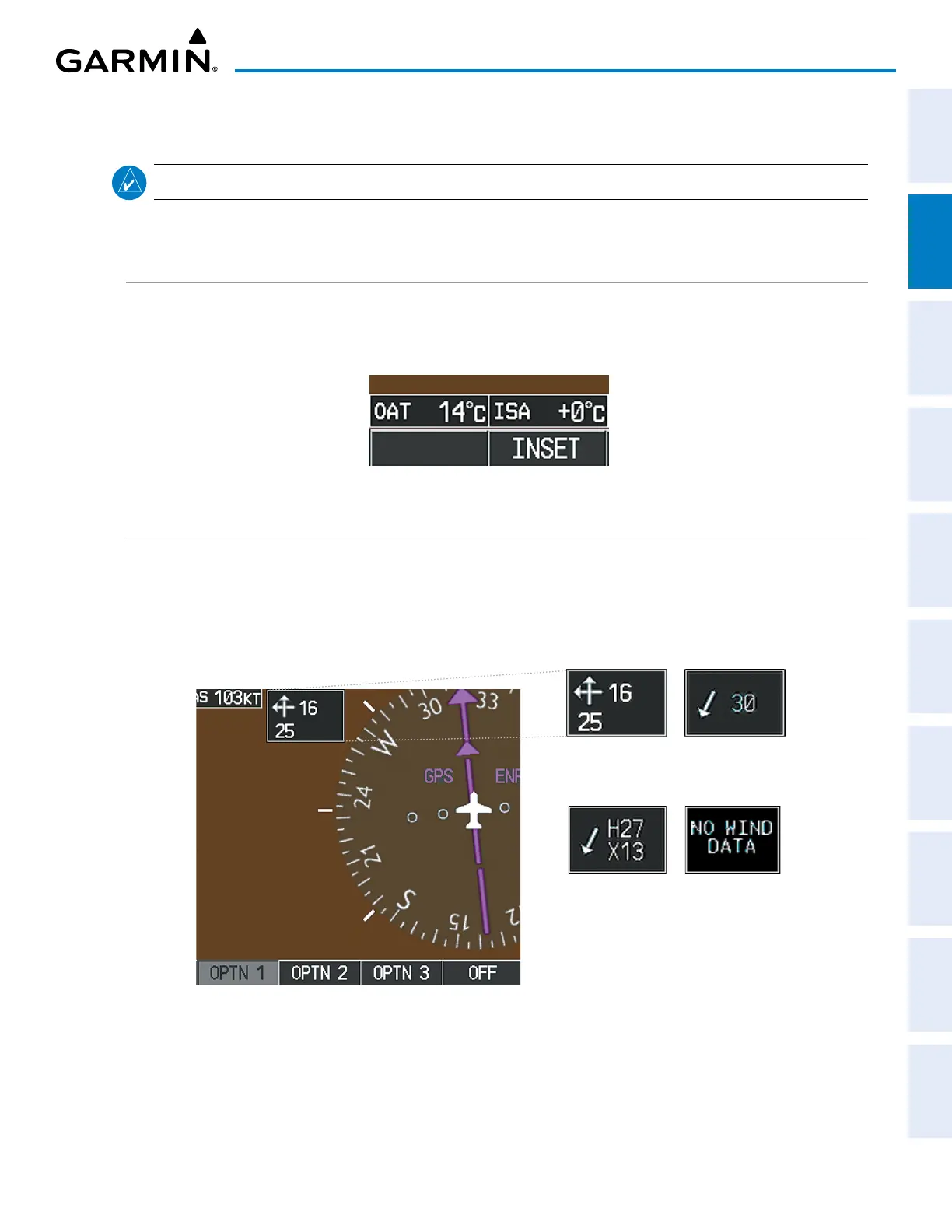
TEMPERATURE DISPLAYS
The Outside Air Temperature (OAT) and deviation from International Standard Atmosphere (ISA) temperature
are displayed in degrees Celsius (°C) (default) or Fahrenheit (°F), as selected by the pilot, in the lower left
corner of the PFD under normal conditions, or below the true airspeed in Reversionary Display Mode.
Figure 2-28 Temperature Displays
WIND DATA
Wind direction and speed (in knots) can be displayed relative to the aircraft in a window to the upper left of
the HSI. When the window is selected for display, but wind information is invalid or unavailable, the window
displays ‘NO WIND DATA’. Wind data can be displayed in three different ways.
Figure 2-29 Wind Data
No Data
Option 2Option 1
Option 3


 To Next Page