190-02692-00 Rev. A
Garmin G1000 Pilot’s Guide for the Piper PA-32 Saratoga
393
ADDITIONAL FEATURES
SYSTEM
OVERVIEW
FLIGHT
INSTRUMENTS
EIS
AUDIO PANEL
& CNS
FLIGHT
MANAGEMENT
HAZARD
AVOIDANCE
AFCS
ADDITIONAL
FEATURES
APPENDICES INDEX
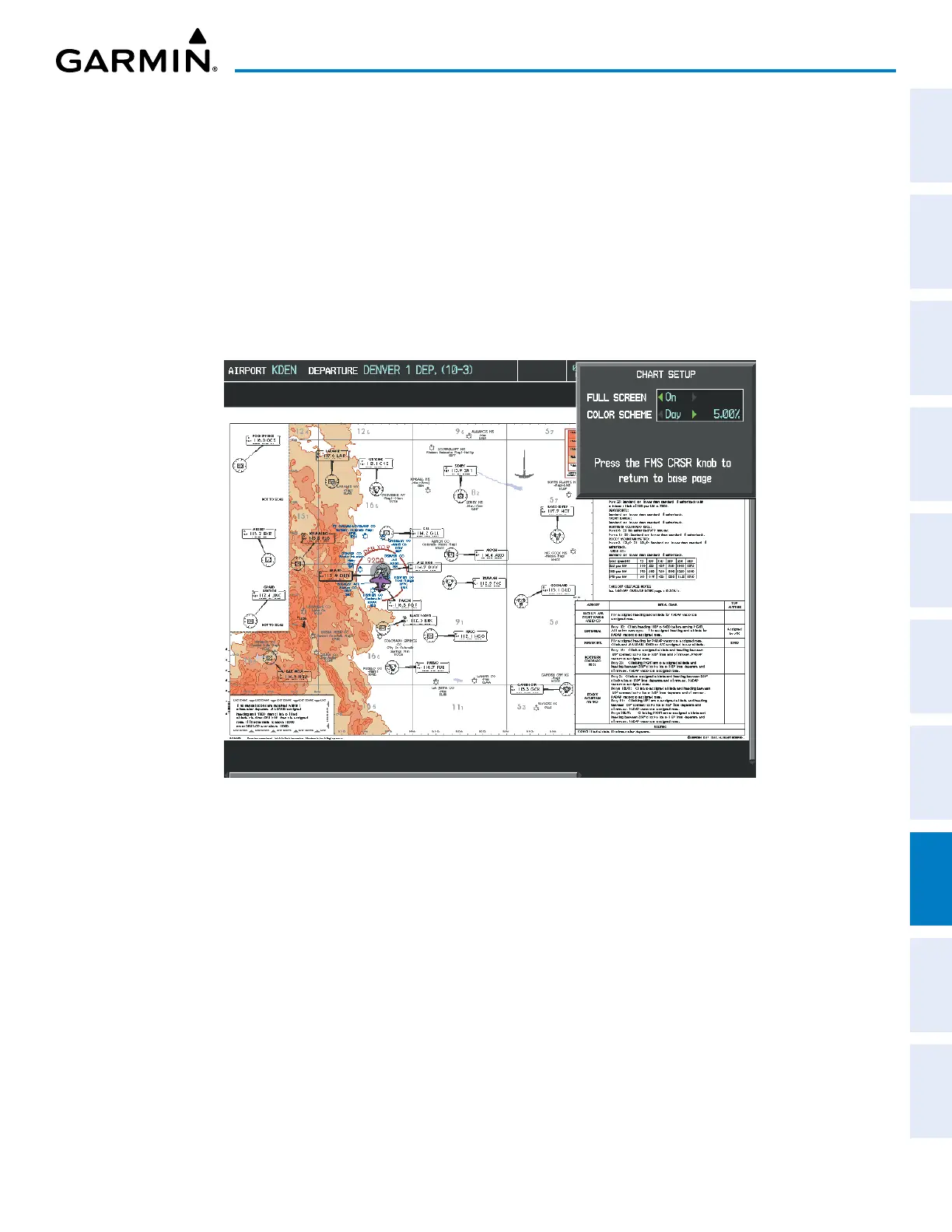
3) Turn the large
FMS
Knob to move to the COLOR SCHEME Option.
4) Turn the small
FMS
Knob to choose between Day, Auto, and Night Options.
5) If Auto Mode is selected, turn the large FMS Knob to select the percentage field. Use the small FMS Knob to
change the percentage value. The percentage value is the day/night crossover point based on the percentage of
backlighting intensity. For example, if the value is set to 15%, the day/night display changes when the display
backlight reaches 15% of full brightness.
The display must be changed in order for the new setting to become active. This may be accomplished by
selecting another page or changing the display range.
6) Press the FMS Knob when finished to remove the Chart Setup Menu.
Figure 8-15 Arrival Information Page, Day View


 To Next Page