26
Garrett Metal Detectors
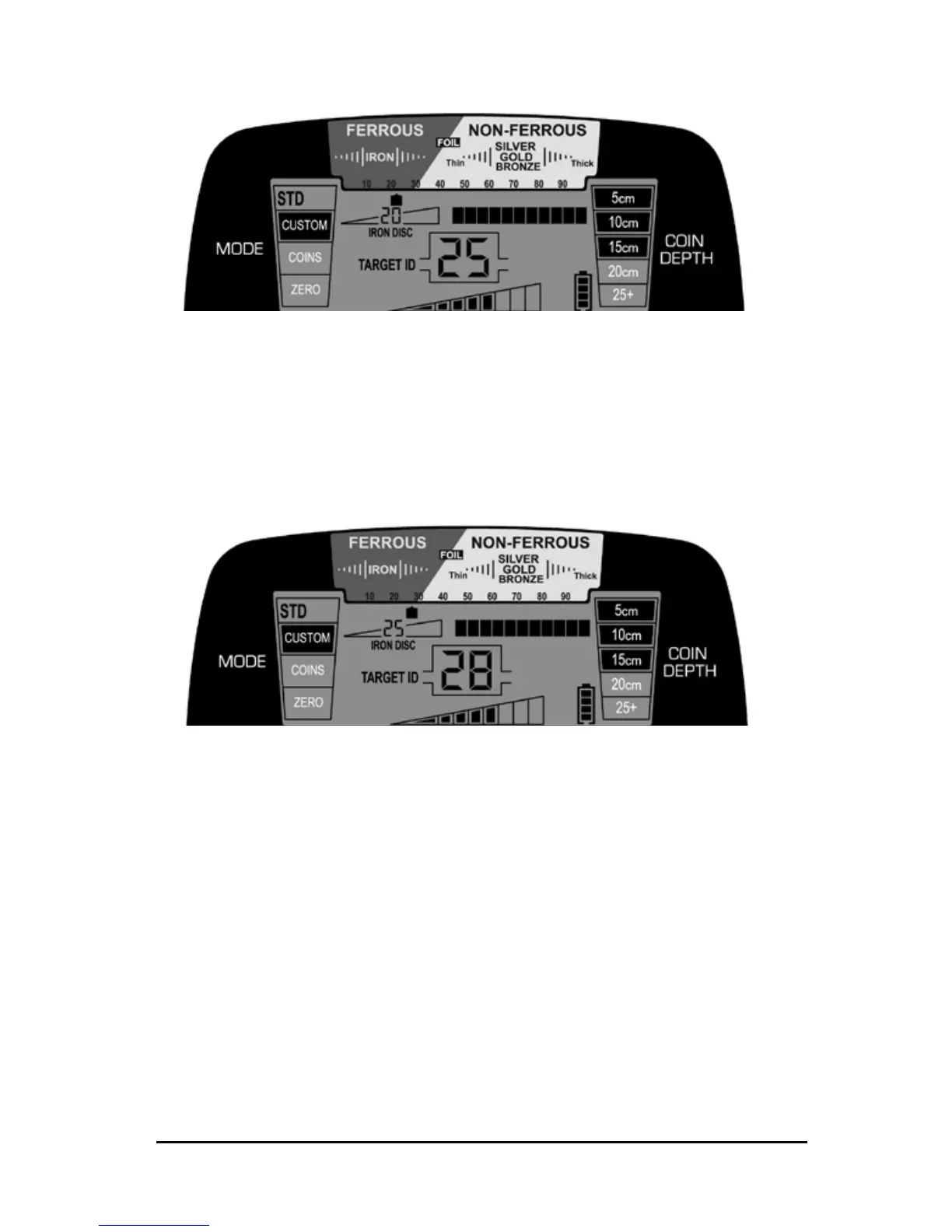
In the illustration above, the AT Pro is operating with an IRON DISC setting of
20. The nail seen in Illustration 1 (on page 25) registers from 10 to 25 on the
Digital Target ID scale. To eliminate the nail from detection, increase the iron
discrimination level to 25 using the IRON DISC (+) pushbutton.
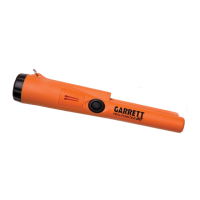
In Illustration 2, the same iron nail is laying above a good coin target. Since
the Iron discrimination level is set to 25, the nail by itself would not be
detected; however, the two objects have a combined conductivity of more
than 25.
Therefore, the good target is detected due to the combined conductivity
being higher than that of the discriminated target (nail) alone.
Example: Detecting Targets in Trash with High-Res Iron Discrimination












 To Next Page